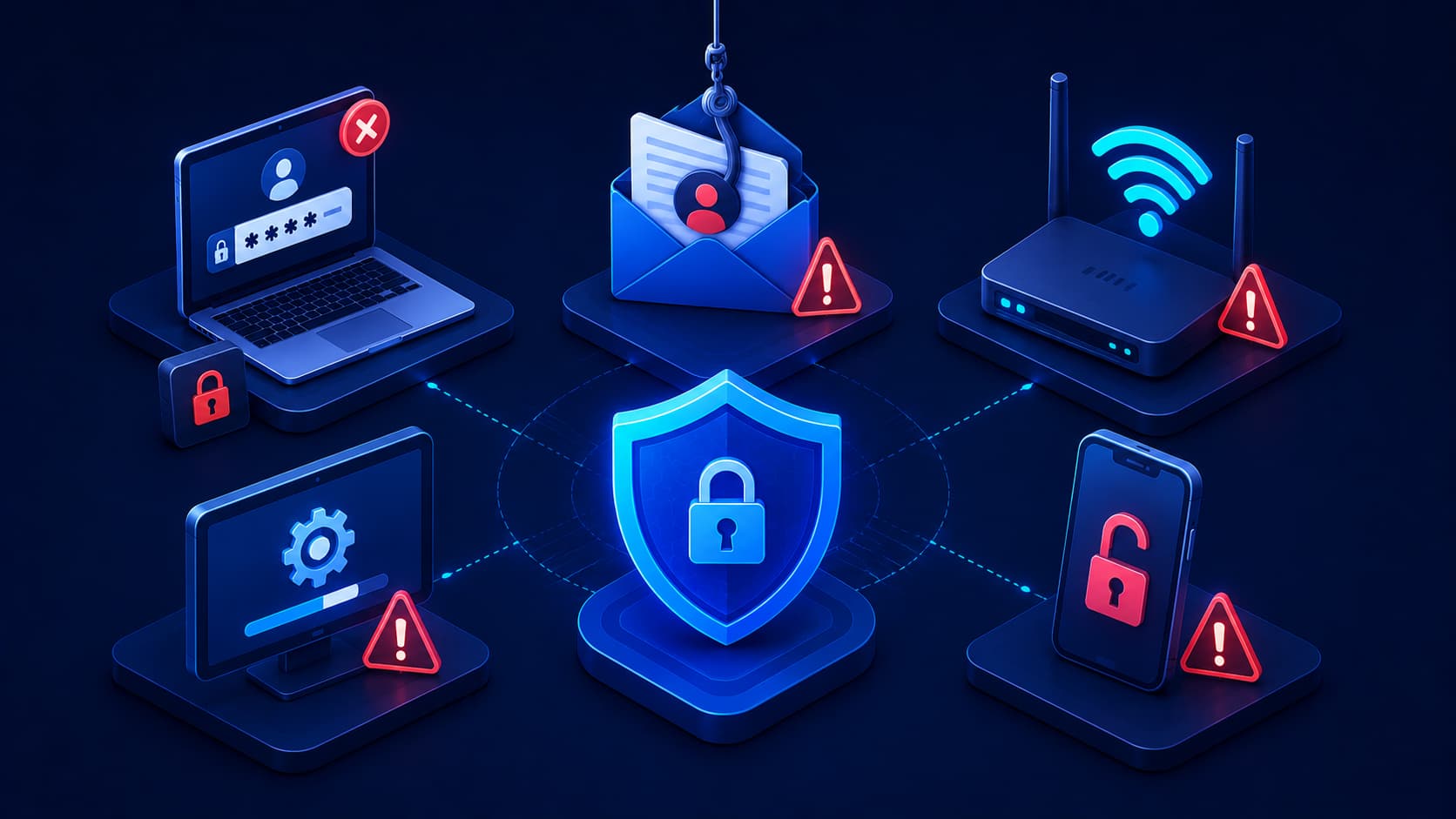
When people imagine a cybersecurity incident, they often picture highly skilled hackers exploiting complex software vulnerabilities.
While those attacks certainly exist, many real-world security incidents begin with something much simpler:
- A weak password.
- An outdated application.
- A suspicious email that appeared legitimate.
- A public Wi-Fi network that looked safe.
In many cases, cybercriminals succeed because everyday users unknowingly make small mistakes that create opportunities for attackers.
The encouraging news is that these mistakes are often easy to avoid once you recognize them.
Cybersecurity isn't only about installing antivirus software or buying the latest devices.
It's also about developing daily habits that reduce risk over time.
By avoiding a few common mistakes, you can significantly improve your digital security without needing advanced technical knowledge.
1. Reusing the Same Password Everywhere
Using one password for multiple accounts may seem convenient, but it's also one of the biggest cybersecurity risks.
If one website experiences a data breach, attackers often test the leaked password on:
- Email services.
- Social media accounts.
- Online banking platforms.
- Cloud storage providers.
This attack technique is known as credential stuffing and is successful because many people reuse the same credentials across multiple websites.
Creating a unique password for every important account greatly limits the damage if one account is compromised.
Best Practice
Use a reputable password manager to generate and store unique passwords for each online account. This makes it much easier to maintain strong security without having to memorize dozens of different passwords.
2. Ignoring Software Updates
Software updates can sometimes feel inconvenient.
It's tempting to postpone them until later.
However, many updates contain important security patches that fix vulnerabilities discovered after the software was released.
Delaying updates gives attackers more time to exploit known weaknesses.
Keeping the following software up to date is one of the simplest ways to improve your cybersecurity:
- Operating systems.
- Web browsers.
- Mobile applications.
- Antivirus and security software.
Why Updates Matter
Cybercriminals often target vulnerabilities that are already publicly known.
Once a security flaw has been discovered, software vendors usually release updates to fix it.
Installing updates promptly closes these security gaps before attackers can exploit them.
Editorial Insight
Many users delay updates because they worry about interruptions or minor interface changes. In reality, postponing security updates often creates a much greater risk than the inconvenience of restarting a device for a few minutes.
3. Clicking Links Without Verifying Them
Not every email, message, or online advertisement is what it appears to be.
Cybercriminals frequently create convincing phishing campaigns that imitate:
- Banks.
- Delivery companies.
- Streaming platforms.
- Government agencies.
Before clicking any link, take a moment to verify where it leads.
If you're unsure whether a message is legitimate, visit the organization's official website directly instead of following the link provided in the email or message.
A few extra seconds of caution can prevent much larger problems later.
Simple Safety Tips
Before clicking a link:
- Check the sender's email address.
- Hover over links to preview their destination.
- Look for unusual spelling or suspicious domain names.
- Be cautious of urgent requests that pressure you to act immediately.
4. Skipping Multi-Factor Authentication
Many people understand that Multi-Factor Authentication (MFA) improves security, yet they never enable it.
Sometimes it feels unnecessary.
Other times it seems inconvenient.
In reality, adding a second verification step provides one of the most effective defenses against unauthorized account access.
Even if your password is stolen, MFA can often prevent attackers from successfully logging in because they still need access to the second authentication factor.
Real-World Example
Imagine your password is exposed in a data breach.
Without MFA, an attacker may be able to sign in immediately.
With MFA enabled, the attacker would also need access to your authentication app, security key, or verification device, making unauthorized access far more difficult.
5. Using Public Wi-Fi Without Caution
Public Wi-Fi networks are incredibly convenient, especially when traveling, working remotely, or visiting cafés, hotels, and airports.
However, not every public network is trustworthy.
Attackers may create fake Wi-Fi hotspots or attempt to monitor unsecured network traffic.
Whenever possible, avoid accessing sensitive services such as:
- Online banking.
- Business systems.
- Financial accounts.
- Other websites containing confidential information.
while connected to unfamiliar public Wi-Fi networks.
If you must use public Wi-Fi, ensure the websites you visit use HTTPS, and consider additional security measures when appropriate.
Best Practice
Before connecting to a public wireless network:
- Verify the official network name with staff if you're in a public venue.
- Avoid conducting sensitive transactions on unfamiliar networks.
- Check for HTTPS before entering personal information.
- Disconnect from the network when you no longer need it.
Developing these habits can significantly reduce the risks associated with public internet access.
6. Downloading Software From Untrusted Sources
Free software can be tempting, especially when it promises premium features at no cost.
Unfortunately, unofficial download websites are a common method attackers use to distribute malware.
Some applications appear to function normally while secretly installing:
- Spyware.
- Adware.
- Other malicious software.
in the background.
Whenever possible, download software directly from:
- The developer's official website.
- A trusted application store.
Choosing reliable sources greatly reduces the risk of accidentally installing harmful software.
Editorial Insight
Cybercriminals often rely on curiosity and convenience. If a paid application is suddenly available for free from an unfamiliar website, it should be treated with caution. Downloading software from trusted sources is one of the easiest ways to avoid malware infections.
7. Sharing Too Much Personal Information Online
Social media makes it easy to share moments from everyday life.
However, oversharing personal information can unintentionally help cybercriminals.
Information such as your:
- Birthday.
- Hometown.
- School.
- Pet's name.
- Favorite sports team.
may seem harmless, but these details are often used as password hints or security questions.
Attackers can combine publicly available information to:
- Make phishing attacks more convincing.
- Guess account credentials.
- Impersonate victims.
Before posting personal information online, consider whether it could help someone identify or impersonate you.
Think Before You Share
Ask yourself:
- Does everyone need to know this information?
- Could this detail answer a security question?
- Would I be comfortable if a stranger saw this post?
Taking a few seconds to think before posting can help protect your online identity.
8. Failing to Back Up Important Data
Many people don't think about backups until it's too late.
Unexpected events such as:
- Hardware failures.
- Accidental file deletion.
- Ransomware attacks.
- Lost or stolen devices.
can all result in permanent data loss.
Regular backups provide an additional layer of protection by ensuring that important files can be recovered if something goes wrong.
A good backup strategy often includes:
- Local backups.
- Secure cloud storage.
Maintaining multiple copies of valuable information significantly reduces the impact of unexpected incidents.
9. Leaving Devices Unlocked
Leaving a laptop or smartphone unlocked—even for a short period—creates unnecessary security risks.
Anyone with physical access to the device may be able to:
- Read private messages.
- Access sensitive files.
- Install unwanted software.
Using the following security features helps prevent unauthorized access:
- Screen locks.
- Biometric authentication.
- Strong device passcodes.
Automatic screen locking after a short period of inactivity provides an additional layer of protection if a device is left unattended.
Best Practice
Enable automatic screen locking on all of your devices and use strong authentication methods whenever available. Even brief moments of unattended access can expose sensitive information.
10. Thinking "It Won't Happen to Me"
Perhaps the most dangerous cybersecurity mistake is assuming that you're not a target.
Many people believe cybercriminals only focus on:
- Large corporations.
- Government agencies.
- Wealthy individuals.
In reality, automated attacks target millions of internet users every day.
Attackers often don't know who their victims are in advance.
Instead, they scan for easy opportunities, such as:
- Accounts protected by weak passwords.
- Devices running outdated software.
- Users who click malicious links without verifying them.
Good cybersecurity isn't about living in fear.
It's about recognizing that everyone benefits from practicing safe online habits.
Why This Mindset Is Dangerous
Assuming "it won't happen to me" can lead people to ignore basic security measures, including:
- Enabling Multi-Factor Authentication.
- Installing software updates.
- Creating secure passwords.
- Backing up important files.
Cybercriminals often rely on automation rather than targeting specific individuals, which means anyone with weak security practices can become a victim.
Editorial Insight
One of the biggest misconceptions about cybersecurity is that only high-profile individuals are attacked. In reality, most cyberattacks are opportunistic. Automated systems continuously search for vulnerable accounts and devices, making strong everyday security habits important for everyone—not just businesses or technology professionals.
Small Habits Make a Big Difference
Improving cybersecurity doesn't always require expensive software or advanced technical knowledge.
In many cases, small changes in daily behavior provide the greatest protection.
Examples include:
- Using unique passwords.
- Enabling Multi-Factor Authentication.
- Keeping software updated.
- Verifying suspicious messages before responding.
- Backing up important files regularly.
Rather than relying on a single security tool, think of cybersecurity as a collection of good habits that strengthen your overall digital safety.
The more consistently you practice these habits, the more difficult it becomes for attackers to succeed.
Frequently Asked Questions
What Is the Most Common Cybersecurity Mistake?
Reusing the same password across multiple accounts is one of the most common and dangerous cybersecurity mistakes because a single data breach can expose many other accounts.
Using a unique password for every important account significantly limits the impact if one account is compromised.
Are Software Updates Really Important?
Yes.
Many software updates include security patches that fix vulnerabilities discovered after the software was released.
Installing updates promptly helps reduce the risk of attacks that exploit known security weaknesses.
Is Public Wi-Fi Always Unsafe?
Not necessarily.
Many public Wi-Fi networks are legitimate, but they should still be used with caution.
Avoid accessing sensitive accounts on unfamiliar networks unless appropriate security measures are in place.
Why Are Backups Important for Cybersecurity?
Backups allow you to recover important files after:
- Hardware failures.
- Accidental deletion.
- Ransomware attacks.
- Other unexpected incidents.
Having reliable backups can dramatically reduce the impact of data loss.
Do I Need Technical Knowledge to Improve Cybersecurity?
No.
Many of the most effective cybersecurity practices involve simple habits that anyone can follow, regardless of their technical experience.
Small improvements made consistently often provide greater protection than complex security tools that are rarely used correctly.
Conclusion
Cybersecurity isn't only about defending against sophisticated attacks.
It's also about avoiding everyday mistakes that create opportunities for cybercriminals.
Simple habits—such as using unique passwords, enabling Multi-Factor Authentication, keeping software updated, downloading applications only from trusted sources, and maintaining regular backups—can dramatically improve your digital security.
While no one can eliminate every cyber risk, recognizing common mistakes and making small improvements over time can greatly reduce your chances of becoming a victim.
Final Takeaway
Good cybersecurity is built through consistent daily decisions rather than a single security product or setting.
By avoiding common mistakes such as password reuse, ignoring updates, trusting suspicious links, oversharing personal information, and neglecting backups, you create multiple layers of protection that make it significantly harder for attackers to succeed.
In today's connected world, staying safe online doesn't require expert technical knowledge—it starts with awareness, good habits, and a commitment to making smarter security decisions every day.