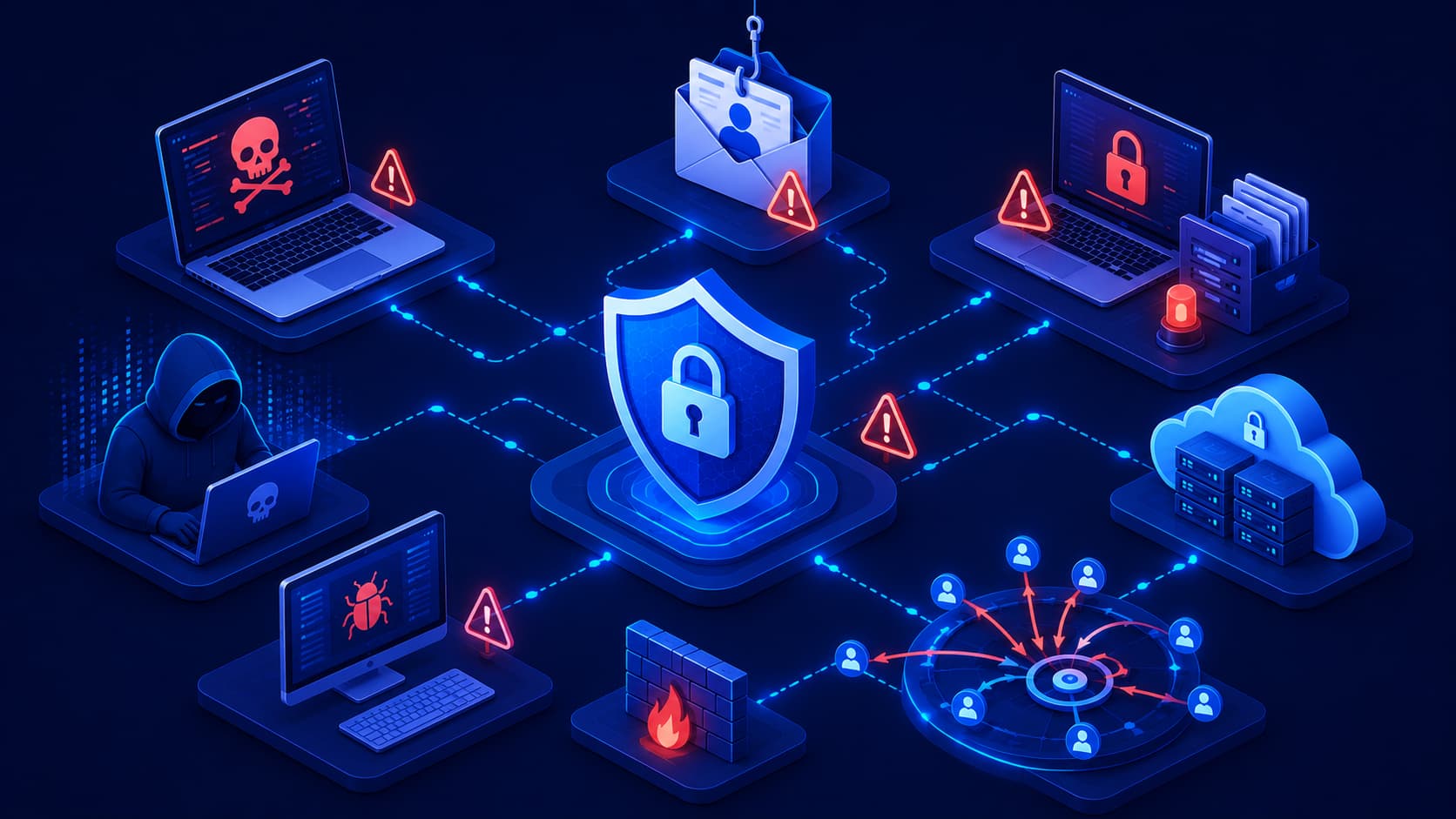
When most people hear the term cyberattack, they often imagine a hacker sitting in a dark room, rapidly typing lines of code while trying to break into a computer system.
Reality is usually much less dramatic—and much more dangerous.
Many successful cyberattacks don't rely on advanced hacking techniques. Instead, they exploit everyday mistakes, outdated software, weak passwords, or simple human trust.
As technology becomes increasingly connected, attackers gain more opportunities to target individuals, businesses, schools, hospitals, and even government organizations.
Fortunately, understanding cyber threats doesn't require becoming a cybersecurity expert.
The first step is simply recognizing the different types of attacks and understanding how they typically work. Once you know what to watch for, you're far less likely to become a victim.
What Is a Cyber Threat?
A cyber threat is any activity, event, or malicious attempt that has the potential to compromise digital systems, steal information, disrupt services, or gain unauthorized access to devices or networks.
Cyber threats can originate from many different sources, including:
- Individual cybercriminals seeking financial gain.
- Organized criminal groups.
- Hacktivists.
- Insider threats.
- Nation-state actors.
Although their motivations may differ, the objective is usually the same: exploit a weakness to achieve a specific goal.
That goal might include:
- Stealing money.
- Collecting personal information.
- Disrupting business operations.
- Demanding ransom payments.
- Damaging an organization's reputation.
Why Understanding Threats Matters
Cybersecurity isn't only about installing security software.
Understanding how attackers operate allows individuals and organizations to recognize warning signs before an attack succeeds.
Many security incidents can be prevented simply because someone notices suspicious behavior early enough to respond appropriately.
Editorial Insight
The strongest cybersecurity strategy combines technology with awareness. Even the most advanced security systems become more effective when users understand the tactics commonly used by attackers.
Malware
Malware is a broad term that refers to malicious software designed to damage devices, steal information, or perform unwanted actions without the user's permission.
Rather than describing a single attack, malware includes several categories, including:
- Viruses.
- Worms.
- Trojans.
- Spyware.
- Ransomware.
Malware commonly spreads through:
- Infected software downloads.
- Malicious email attachments.
- Compromised websites.
- Vulnerable applications.
Once installed, malware may:
- Collect sensitive information.
- Encrypt important files.
- Monitor user activity.
- Provide remote access to attackers.
Because malware includes many different attack techniques, each category has its own behavior, risks, and prevention methods.
Why Malware Is Dangerous
Modern malware often operates quietly in the background.
Some variants remain undetected for extended periods while collecting information or creating opportunities for additional attacks.
This makes early detection, software updates, and cautious online behavior especially important.
Best Practice
Always download software from trusted sources, keep your operating system updated, and avoid opening unexpected email attachments. These simple habits significantly reduce the risk of malware infections.
Phishing
Phishing is one of the most common cyber threats because it targets people rather than technology.
Instead of exploiting software vulnerabilities, attackers attempt to deceive users into voluntarily revealing sensitive information.
Phishing attacks commonly appear as:
- Fake emails.
- Fraudulent websites.
- Text messages.
- Social media messages.
Their goal is often to steal:
- Passwords.
- Banking information.
- Verification codes.
- Personal data.
Many phishing messages create a false sense of urgency by claiming that an account has been suspended or immediate action is required.
Learning to recognize these warning signs is one of the most effective ways to avoid becoming a victim.
Real-World Example
Imagine receiving an email that appears to come from your bank asking you to "verify your account immediately."
The message contains an official-looking logo and a link to what appears to be the bank's website.
If you click the link, however, you may be taken to a fake website designed to capture your username, password, and multi-factor authentication code.
Understanding how phishing works makes it much easier to identify these deceptive tactics before they cause harm.
Ransomware
Ransomware is one of the most damaging forms of malware.
Rather than quietly stealing information, ransomware locks or encrypts files and demands payment before access is restored.
For individuals, ransomware may result in the loss of personal documents, family photos, and other valuable files.
For organizations, the consequences can be far more severe, disrupting business operations, customer services, and critical infrastructure.
Although paying the ransom may seem like the fastest solution, security experts generally recommend focusing on prevention, regular backups, and strong cybersecurity practices instead.
Distributed Denial-of-Service (DDoS) Attacks
Not every cyberattack is designed to steal information.
Some attacks are intended to make websites, applications, or online services unavailable to legitimate users.
A Distributed Denial-of-Service (DDoS) attack works by overwhelming a server with an enormous volume of internet traffic.
Instead of allowing genuine users to access a website, the server becomes overloaded while attempting to process millions of fake requests.
For businesses that rely on online services, even a short period of downtime can lead to:
- Lost revenue.
- Reduced customer trust.
- Interrupted business operations.
- Damage to the organization's reputation.
To reduce the impact of these attacks, many organizations implement:
- Traffic filtering.
- Load balancing.
- Specialized DDoS protection services.
Why DDoS Attacks Are Effective
Unlike many other cyber threats, DDoS attacks don't necessarily require attackers to break into a system.
Instead, they exploit the limited capacity of servers and network infrastructure, preventing legitimate users from accessing online services until the attack subsides or is successfully mitigated.
Social Engineering
Technology isn't always the weakest link in cybersecurity.
People often are.
Social engineering refers to a collection of techniques that manipulate people into revealing sensitive information or performing actions they normally wouldn't.
Rather than exploiting software vulnerabilities, attackers exploit human psychology.
For example, an attacker may pretend to be:
- A company's IT technician.
- A bank representative.
- A trusted coworker.
- A customer support agent.
By creating a sense of urgency, authority, or trust, attackers attempt to persuade victims to disclose:
- Passwords.
- Verification codes.
- Confidential business information.
Because social engineering targets human behavior rather than technology, awareness and education remain some of the strongest defenses.
Real-World Example
Imagine receiving a phone call from someone claiming to work in your company's IT department.
The caller explains that there's an urgent security issue and asks you to provide your login credentials so they can "verify your account."
Even if the caller sounds convincing, a legitimate IT department would rarely request your password directly.
Taking a moment to verify the request through official communication channels can prevent a serious security incident.
Editorial Insight
Many successful cyberattacks begin with a conversation rather than malicious software. Building healthy skepticism toward unexpected requests is one of the simplest and most effective cybersecurity habits anyone can develop.
Insider Threats
Not every security incident originates from outside an organization.
Sometimes the threat already has legitimate access.
An insider threat involves employees, contractors, or business partners who intentionally—or unintentionally—cause security problems.
Examples include:
- An employee deliberately stealing confidential information before leaving the company.
- Someone accidentally sending sensitive files to the wrong recipient.
- Storing confidential data in an insecure cloud service.
Organizations reduce insider risks by:
- Limiting unnecessary access.
- Monitoring sensitive systems.
- Providing regular security awareness training.
Why Insider Threats Matter
Employees often have access to valuable systems and confidential information.
Without appropriate access controls and monitoring, even accidental mistakes can expose sensitive data or disrupt critical business operations.
Credential Attacks
Passwords remain one of the most common methods for accessing online accounts.
Unfortunately, they are also one of the most common targets for attackers.
Credential attacks attempt to obtain or misuse usernames and passwords using techniques such as:
- Phishing.
- Password guessing.
- Credential stuffing.
- Brute-force attacks.
Reusing the same password across multiple websites significantly increases risk.
If one service experiences a data breach, attackers may attempt to use those same credentials on many other websites.
Using unique passwords together with multi-factor authentication (MFA) greatly reduces the effectiveness of these attacks.
Best Practice
Use a password manager to generate and store unique passwords for every account. Combined with multi-factor authentication, this creates one of the strongest defenses against credential theft.
Why Cyber Threats Continue to Evolve
Cybersecurity is constantly changing because attackers continuously adapt their techniques.
As organizations strengthen their defenses, cybercriminals develop new methods to bypass them.
Artificial intelligence is now used by both defenders and attackers.
Organizations leverage AI to:
- Detect suspicious behavior faster.
- Improve threat detection.
- Automate portions of security operations.
Meanwhile, attackers use AI to create more convincing phishing messages and automate certain attack techniques.
Cloud computing, mobile devices, and the rapidly growing number of connected smart devices have also expanded the digital landscape that organizations must protect.
This is why cybersecurity is no longer viewed as a one-time task.
It is an ongoing process of learning, adapting, and continuously improving security practices as new technologies and threats emerge.
How Can You Reduce Your Risk?
No security measure can eliminate every cyber threat.
However, following good cybersecurity practices can dramatically reduce your chances of becoming a victim.
Some of the most effective habits include:
- Use strong and unique passwords for every account.
- Enable multi-factor authentication (MFA) whenever it's available.
- Keep your operating system and applications updated.
- Be cautious when opening email attachments or clicking unknown links.
- Regularly back up important files.
- Download software only from trusted sources.
- Stay informed about new cybersecurity threats and scams.
Although each of these practices may seem simple on its own, together they create multiple layers of protection that make successful attacks significantly more difficult.
Building Good Security Habits
Cybersecurity is most effective when it becomes part of your daily routine rather than something you think about only after an incident occurs.
For example, before logging into an unfamiliar website, consider asking yourself:
- Does the website use HTTPS?
- Is the domain name spelled correctly?
- Was I expecting this email or message?
- Does this request seem unusually urgent?
- Am I about to share sensitive information?
Developing these habits takes only a few seconds but can prevent costly mistakes.
Editorial Insight
Cybercriminals often look for the easiest target rather than the most valuable one. Consistently following basic security practices makes you a far less attractive target because attackers usually move on to easier opportunities.
Frequently Asked Questions
What Is the Most Common Cyber Threat?
Phishing is one of the most common cyber threats because it targets people instead of technical systems and frequently serves as the starting point for larger attacks.
By convincing users to reveal passwords, verification codes, or financial information, attackers can gain access without exploiting technical vulnerabilities.
Is Every Cyber Threat Caused by Hackers?
No.
Some security incidents result from human error, insider mistakes, or accidental exposure of sensitive information rather than deliberate hacking.
This is why user awareness and good security habits are just as important as technical security controls.
Can Individuals Become Targets of Cyber Threats?
Absolutely.
Cybercriminals target individuals as well as businesses through phishing emails, malware, fake websites, online scams, and credential theft.
Anyone who uses the internet can become a target, regardless of their profession or level of technical expertise.
Can Antivirus Software Stop Every Cyber Threat?
No.
Antivirus software is an important layer of protection, but it cannot defend against every type of cyberattack.
Modern cybersecurity also depends on:
- Safe online behavior.
- Regular software updates.
- Strong authentication.
- Security awareness.
- Responsible use of digital services.
These practices work together to provide comprehensive protection.
Why Is Understanding Cyber Threats Important?
Recognizing common attack methods helps people identify warning signs early and make better security decisions before an incident occurs.
The earlier a threat is recognized, the greater the chance of preventing data loss, financial damage, or service disruption.
Best Practice
Treat every unexpected email, phone call, text message, or login request with healthy skepticism. Verifying requests through official channels is one of the simplest ways to prevent many common cyberattacks.
Conclusion
Cyber threats come in many different forms, and each one targets a different weakness.
Some attacks exploit software vulnerabilities, while others rely on deception, weak passwords, or simple human mistakes.
Understanding these threats is one of the most effective ways to improve your overall digital security.
Fortunately, you don't need to become a cybersecurity professional to protect yourself.
By recognizing common attack techniques and consistently following good security practices, both individuals and organizations can significantly reduce their exposure to cyber risks.
As technology continues to evolve, new threats will continue to emerge.
Staying informed, maintaining strong security habits, and adapting to changing risks will remain essential parts of protecting personal information and digital systems.
Final Takeaway
Cyber threats are constantly evolving, but the principles of good cybersecurity remain remarkably consistent.
A combination of technical protections, informed decision-making, continuous learning, and responsible online behavior provides the strongest defense against today's digital threats.
By understanding how common cyber threats work—and knowing how to recognize their warning signs—you'll be better prepared to protect your devices, accounts, and personal information in an increasingly connected world.