For many people, the biggest question about cloud computing isn't how it works—it's whether it can be trusted.
After all, storing personal photos, business documents, financial records, or customer information on someone else's servers can initially feel uncomfortable. If you can't physically see where your data is stored, it's natural to wonder how secure it really is.
It's a reasonable concern, and one that every major cloud provider has spent years addressing.
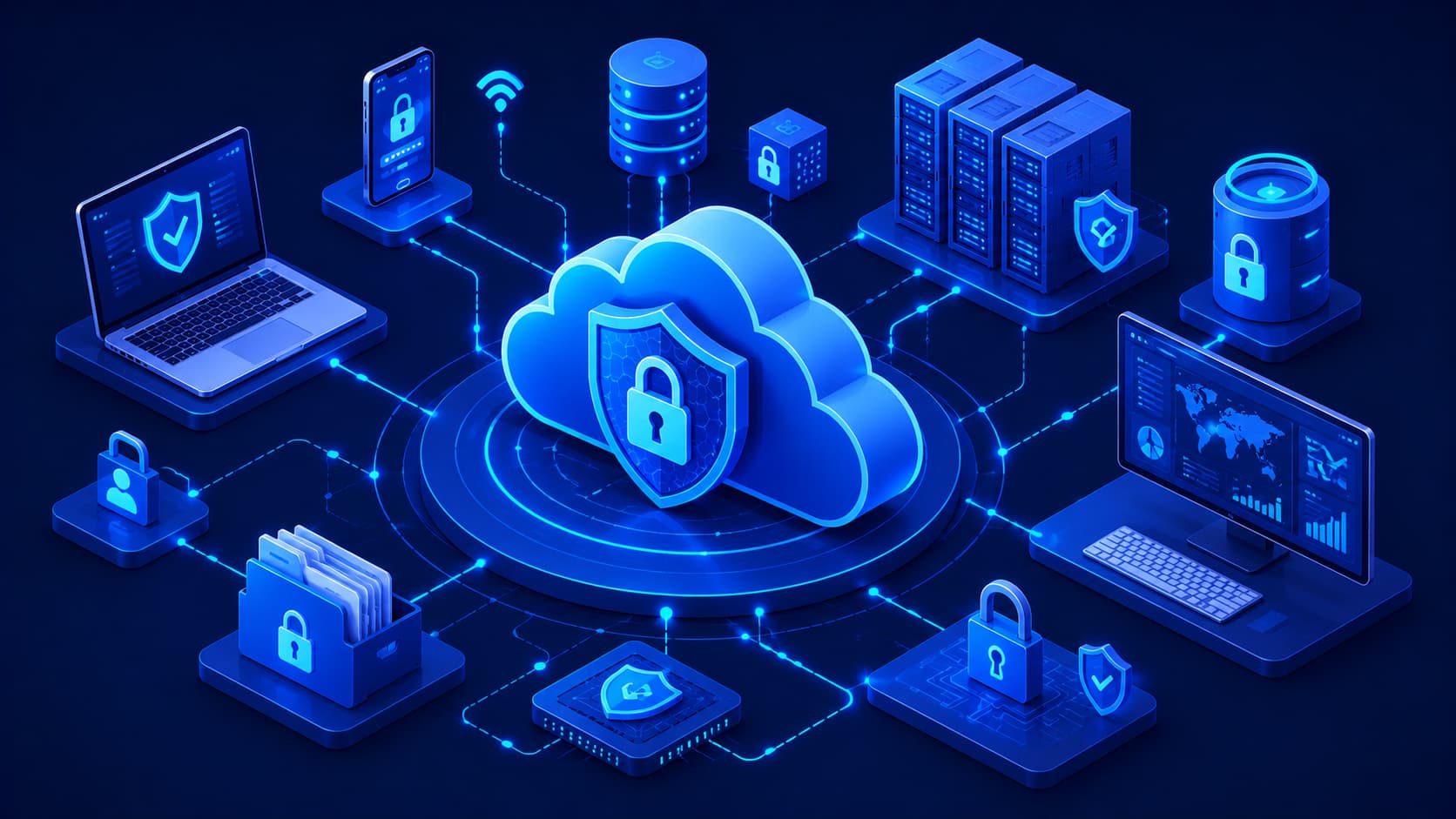
The reality is that cloud security is far more than a single technology. It combines physical security, encryption, identity management, continuous monitoring, operational procedures, and user awareness to protect information from a wide range of threats.
At the same time, cloud security isn't solely the provider's responsibility.
Users also play a critical role in protecting their own accounts and data. Understanding how these shared responsibilities work together is the first step toward using cloud services safely and confidently.
What Is Cloud Security?
Cloud security refers to the technologies, policies, and operational practices used to protect cloud-based systems, applications, and data from unauthorized access, cyberattacks, and accidental loss.
Its primary goals are to ensure that information stored in the cloud remains:
- Confidential, so only authorized users can access it.
- Accurate, so data isn't modified without permission.
- Available, so authorized users can access it whenever needed.
Unlike traditional IT environments that typically protect a single organization's servers, cloud platforms must secure infrastructure supporting millions of users simultaneously.
Because of this scale, cloud providers rely on multiple layers of security working together rather than depending on a single protective feature.
Why Multiple Layers Matter
Cybersecurity threats evolve continuously.
A single security control—such as a password—is no longer sufficient to protect valuable information.
Instead, modern cloud security combines several defensive measures, including encryption, authentication, monitoring, and access controls. If one layer is bypassed, additional safeguards help reduce the likelihood of a successful attack.
Editorial Insight
Cloud security follows the principle of defense in depth. Rather than trusting a single security mechanism, providers build multiple overlapping protections that work together to reduce risk while maintaining reliable access for legitimate users.
How Cloud Providers Protect Your Data
Leading cloud providers have earned the trust of organizations around the world by making security one of their highest priorities.
Protection begins long before your information reaches a cloud server.
Encryption During Transmission
When data travels across the internet, it is typically encrypted to reduce the risk of interception.
Even if someone managed to capture the transmitted information, encryption makes it extremely difficult to read without the appropriate decryption keys.
Encryption at Rest
After your files arrive in the cloud, they are often encrypted again while stored on cloud servers.
This additional layer of protection helps secure sensitive information even if storage systems themselves become a target.
Physical Data Center Security
Cloud security isn't limited to software.
The facilities that store cloud infrastructure are protected through multiple physical security measures, including:
- Surveillance systems.
- Restricted entry points.
- Biometric verification.
- Around-the-clock monitoring.
These controls help prevent unauthorized individuals from accessing critical infrastructure.
Continuous Monitoring
Modern cloud providers continuously monitor their infrastructure for unusual activity.
Automated systems and security teams work together to identify suspicious behavior, investigate potential threats, and respond quickly before small issues become major security incidents.
Best Practice
Even though cloud providers invest heavily in infrastructure security, users should always choose reputable providers that publish clear security documentation, maintain regular compliance certifications, and offer strong security features such as encryption and multi-factor authentication.
The Shared Responsibility Model
One of the most important concepts in cloud security is the shared responsibility model.
Many people assume that once data is uploaded to the cloud, the provider becomes responsible for every aspect of security.
In reality, security responsibilities are divided between the provider and the customer.
What the Cloud Provider Is Responsible For
Cloud providers are generally responsible for protecting the underlying infrastructure, including:
- Physical data centers.
- Servers.
- Networking equipment.
- Storage systems.
- Core cloud services.
Their responsibility is to ensure that the cloud platform itself remains secure and available.
What Customers Are Responsible For
Customers are responsible for securing how they use cloud services.
This includes:
- Creating strong passwords.
- Protecting user accounts.
- Managing permissions.
- Configuring cloud services correctly.
Understanding this shared responsibility helps explain why even highly secure cloud platforms can still experience security incidents when user accounts are poorly protected or improperly configured.
Real-World Example
Imagine renting an apartment in a secure building.
The building owner is responsible for maintaining secure entrances, surveillance cameras, and structural safety.
However, you're still responsible for locking your own apartment door and protecting your personal belongings.
Cloud security works in a very similar way.
Common Cloud Security Features
Modern cloud platforms include numerous built-in security features designed to protect both individual users and organizations.
Rather than relying on a single defense mechanism, these features work together to create multiple layers of protection.
Some of the most important cloud security features include:
- Data encryption.
- Multi-factor authentication (MFA).
- Identity and Access Management (IAM).
- Automatic security updates.
- Continuous threat monitoring.
- Activity logging and auditing.
- Backup and disaster recovery options.
Each feature addresses a different security challenge, making cloud environments more resilient against a wide variety of cyber threats.
Data Encryption
Encryption transforms readable information into coded data that can only be accessed by authorized parties.
Cloud providers typically encrypt information:
- While it travels across the internet.
- While it is stored on cloud servers.
This significantly reduces the risk of sensitive information being exposed if data is intercepted or accessed without authorization.
Multi-Factor Authentication (MFA)
Passwords alone are no longer enough to protect online accounts.
Multi-factor authentication requires users to provide an additional verification step—such as a code from a mobile device or an authentication app—before access is granted.
Even if someone discovers your password, they still need the second authentication factor to successfully sign in.
Identity and Access Management (IAM)
IAM helps organizations control who can access cloud resources and what actions each user is allowed to perform.
Instead of giving every employee full administrative access, organizations can assign permissions based on job responsibilities.
This approach reduces unnecessary exposure while improving overall security.
Continuous Monitoring and Logging
Cloud providers continuously monitor infrastructure for suspicious activity.
At the same time, activity logs record important account events, making it easier to investigate unusual behavior and identify potential security incidents before they escalate.
Editorial Insight
No individual security feature can stop every cyberattack. Strong cloud security depends on combining several protective technologies so that if one control fails, others continue protecting the environment.
Common Cloud Security Risks
Even the most secure cloud platform cannot eliminate every possible risk.
In many cases, security incidents occur not because the cloud provider fails, but because of mistakes made by users or organizations.
Understanding these common risks is one of the best ways to prevent them.
Weak Passwords
Using short, simple, or reused passwords remains one of the most common security problems.
If an attacker gains access to a cloud account through a weak password, they may also gain access to important files, applications, and business information.
Creating unique, complex passwords for every account greatly reduces this risk.
Phishing Attacks
Cybercriminals often attempt to steal login credentials through fake emails, websites, or text messages.
These attacks don't usually target the cloud infrastructure itself.
Instead, they target the people using the cloud.
Learning to recognize suspicious messages is just as important as implementing strong technical security measures.
Misconfigured Cloud Services
Cloud platforms provide many security options, but they must be configured correctly.
For example:
- Accidentally making cloud storage publicly accessible.
- Granting excessive permissions to users.
- Leaving unnecessary services exposed.
can unintentionally reveal sensitive information.
Many cloud security incidents result from configuration mistakes rather than vulnerabilities in the cloud platform itself.
Stolen Credentials
Attackers don't always rely on sophisticated hacking techniques.
If usernames and passwords are stolen through phishing, malware, or password reuse, attackers may gain legitimate access to cloud resources.
Because of this, protecting user identities has become one of the most important aspects of cloud security.
Best Practice
Organizations should regularly review account permissions, remove unused accounts, require strong authentication, and educate employees about phishing attacks. Human awareness remains one of the most effective defenses against many cloud security threats.
Best Practices for Staying Secure
Whether you're storing personal files or managing enterprise applications, following proven security practices can significantly reduce your risk.
Enable Multi-Factor Authentication
Multi-factor authentication adds an additional verification step during login.
Even if someone obtains your password, they still need access to your second authentication method before they can successfully sign in.
This is widely regarded as one of the most effective ways to secure cloud accounts.
Keep Software Updated
Operating systems, web browsers, and cloud applications should always remain up to date.
Security updates frequently fix newly discovered vulnerabilities before attackers have an opportunity to exploit them.
Review Account Permissions
Not every user requires access to every resource.
Organizations should periodically review user permissions and remove access that is no longer necessary.
Following the principle of least privilege helps minimize the potential impact of compromised accounts.
Monitor Account Activity
Many cloud platforms provide activity logs that record important account actions.
Reviewing these logs can help identify:
- Unusual login attempts.
- Unexpected configuration changes.
- Suspicious user behavior.
before they become major security incidents.
Back Up Critical Data
Although cloud providers offer excellent reliability, maintaining additional backups of especially important information remains a recommended best practice.
Having multiple recovery options helps minimize disruption if files are accidentally deleted or affected by ransomware.
Is Cloud Computing More Secure Than Traditional Infrastructure?
One of the most common questions organizations ask when considering cloud adoption is whether cloud computing is actually more secure than traditional on-premises infrastructure.
The answer isn't a simple yes or no.
Leading cloud providers typically employ dedicated security teams, advanced monitoring systems, and specialized security technologies that many organizations would find difficult or expensive to build on their own.
However, security ultimately depends on how systems are designed, configured, and managed.
A poorly configured cloud environment may be less secure than a well-maintained on-premises system. Likewise, a properly managed cloud deployment can often provide stronger protection than outdated local infrastructure.
Rather than asking which environment is inherently safer, a more useful question is whether established security best practices are being followed.
Comparing the Two Approaches
Both cloud environments and traditional infrastructure can provide strong security when managed correctly.
Cloud computing often offers advantages such as:
- Continuous security updates.
- Large-scale threat monitoring.
- Built-in redundancy.
- Advanced identity management.
- Automated security services.
Traditional infrastructure, meanwhile, may provide organizations with greater direct control over hardware and internal systems.
Ultimately, the effectiveness of either approach depends on proper governance, ongoing maintenance, and responsible security practices.
Editorial Insight
Security should never be viewed as a feature that's automatically "included." Whether systems run in the cloud or on-premises, maintaining a secure environment requires continuous monitoring, regular updates, and well-trained users.
The Future of Cloud Security
As cloud adoption continues to grow, cloud security technologies are evolving alongside it.
Providers are investing in increasingly sophisticated methods to identify and respond to cyber threats more quickly and accurately.
One of the biggest developments is the growing use of artificial intelligence.
AI-powered security systems can:
- Detect unusual activity.
- Identify emerging attack patterns.
- Prioritize security alerts.
- Automate certain incident responses.
Identity-based security is also becoming more important as organizations move beyond traditional network boundaries.
Instead of assuming that everyone inside a corporate network is trustworthy, modern security models increasingly verify every user, device, and access request before granting permission.
Encryption technologies also continue to improve, helping protect sensitive information both while it travels across networks and while it remains stored in cloud environments.
As a result, cloud security is no longer viewed as an optional feature—it has become a fundamental component of modern digital infrastructure.
Best Practice
Security is not a one-time project. Organizations should regularly review their security policies, update access controls, educate employees, and monitor emerging threats to keep pace with an evolving cybersecurity landscape.
Frequently Asked Questions
Is Cloud Storage Safe?
Yes.
Reputable cloud storage providers use multiple layers of protection, including encryption, access controls, and continuous monitoring to safeguard customer data.
Users can further strengthen their security by enabling multi-factor authentication and creating strong, unique passwords.
Can Cloud Services Be Hacked?
Like any internet-connected technology, cloud services can be targeted by attackers.
However, many successful attacks involve stolen credentials, phishing, or configuration mistakes rather than weaknesses in the cloud infrastructure itself.
Maintaining good security practices significantly reduces these risks.
What Is the Shared Responsibility Model?
The shared responsibility model divides security responsibilities between the cloud provider and the customer.
Providers secure the underlying cloud infrastructure, while customers are responsible for protecting their accounts, managing permissions, and configuring cloud resources securely.
Understanding this division helps organizations implement stronger overall security.
Why Is Multi-Factor Authentication Important?
Multi-factor authentication adds an additional verification step during login.
Even if an attacker discovers your password, they are far less likely to gain access without the required second authentication factor.
For this reason, MFA is widely recommended as one of the simplest and most effective cloud security measures.
Is Cloud Computing Secure Enough for Businesses?
Yes.
Organizations of every size—including banks, healthcare providers, government agencies, and multinational enterprises—use cloud services every day.
When combined with proper governance, security policies, and operational best practices, cloud computing can provide a highly secure environment for business operations.
Conclusion
Cloud security is not built on a single technology or security feature.
Instead, it relies on multiple layers of protection working together to safeguard data, applications, and infrastructure.
Leading cloud providers invest heavily in securing their platforms, but maintaining a secure cloud environment is also a shared responsibility between providers and users.
Strong passwords, multi-factor authentication, careful access management, regular software updates, and ongoing security reviews all play essential roles in protecting cloud accounts.
As cloud computing continues to support more businesses, governments, and everyday digital services, understanding the fundamentals of cloud security has become an increasingly valuable digital skill.
Final Takeaway
Cloud computing can offer an exceptionally secure environment—but only when both providers and users fulfill their responsibilities.
Technology such as encryption, identity management, and continuous monitoring provides a strong foundation, while informed users strengthen that foundation through secure habits and responsible account management.
By understanding how cloud environments are protected—and recognizing where risks still exist—you'll be better prepared to use cloud services safely, confidently, and effectively in both personal and professional settings.