If you've been learning about cloud computing, you've probably encountered three acronyms that appear almost everywhere: SaaS, PaaS, and IaaS.
At first glance, these terms can seem like confusing technical jargon.
Many beginners assume they're different cloud providers or entirely separate technologies.
In reality, they are simply different ways of delivering cloud services, each offering a different balance between convenience, flexibility, and control.
The easiest way to understand these service models is to think of them as different levels of responsibility.
Sometimes you want software that's completely ready to use.
Other times, you need an environment where you can build applications.
In some situations, you want full control over the underlying infrastructure itself.
That's exactly why these three cloud service models exist.
Understanding how they differ makes it much easier to choose the right cloud solution—whether you're an individual user, a business owner, or someone beginning a career in cloud computing or DevOps.
Why Are There Different Cloud Service Models?
Not everyone uses cloud computing in the same way.
A student editing documents online has very different needs from a software developer building a web application.
Likewise, a startup launching its first product has different infrastructure requirements than a global enterprise managing thousands of servers.
Instead of providing only one type of cloud service, providers created multiple service models to accommodate these different requirements.
Some services prioritize simplicity.
Others emphasize flexibility and greater control.
The best choice depends on what you're trying to accomplish—not on which model is considered "better."
Different Users, Different Needs
Consider the following examples:
- A student may only need access to online productivity software.
- A software developer needs tools for writing and deploying applications.
- An enterprise IT team may require complete control over servers and networking.
Each scenario requires a different level of cloud service, which is why SaaS, PaaS, and IaaS all continue to play important roles in modern computing.
Editorial Insight
Cloud service models aren't competing technologies. Instead, they represent different ways of consuming cloud resources, allowing organizations to choose the level of management and control that best fits each workload.
Software as a Service (SaaS)
Software as a Service (SaaS) is the simplest and most widely used cloud service model.
With SaaS, the software is fully developed, hosted, and maintained by the provider.
Users simply:
- Open the application through a web browser, or
- Install a lightweight desktop or mobile client.
There's no need to:
- Purchase servers.
- Install complex software.
- Configure infrastructure.
- Manage software updates.
Everything happens behind the scenes.
For many people, SaaS is already part of everyday life—even if they don't realize they're using cloud computing.
Common examples include:
- Email platforms.
- Online office suites.
- Video conferencing applications.
- Project management tools.
- Music streaming services.
Why Is SaaS So Popular?
SaaS removes many of the technical responsibilities that traditionally came with installing and maintaining software.
Instead of managing infrastructure, users simply access the application whenever they need it.
This makes SaaS particularly attractive for:
- Individuals.
- Small businesses.
- Organizations that want rapid deployment.
- Teams without dedicated IT staff.
Real-World Example
Imagine a company using an online office suite for email, spreadsheets, and document editing.
Employees simply log in using their browsers and begin working.
The provider handles:
- Server maintenance.
- Software updates.
- Security patches.
- Infrastructure availability.
The organization focuses on productivity rather than maintaining technology.
Best Practice
SaaS applications are easy to adopt, but organizations should still implement strong account security practices, including multi-factor authentication, role-based access controls, and regular permission reviews to protect sensitive business data.
Platform as a Service (PaaS)
While SaaS delivers finished software, Platform as a Service (PaaS) is designed primarily for software developers.
Instead of providing a complete application, PaaS offers a ready-to-use environment where developers can build, test, deploy, and manage their own applications.
The cloud provider manages:
- The underlying infrastructure.
- Operating systems.
- Much of the platform maintenance.
Developers can concentrate on writing code instead of configuring servers.
This significantly reduces the time required to develop and launch new applications.
Why Developers Choose PaaS
Building software involves much more than writing code.
Developers also need:
- Runtime environments.
- Development tools.
- Deployment pipelines.
- Infrastructure configuration.
PaaS simplifies many of these tasks by providing a preconfigured platform, allowing development teams to focus on innovation rather than infrastructure management.
Editorial Insight
PaaS helps bridge the gap between finished software and raw infrastructure. It gives developers enough flexibility to build custom applications while eliminating much of the operational complexity associated with managing servers.
Infrastructure as a Service (IaaS)
Infrastructure as a Service (IaaS) provides the highest level of flexibility among the three primary cloud service models.
Rather than delivering ready-to-use software or a managed development platform, IaaS gives customers access to the fundamental building blocks of modern IT infrastructure.
These resources typically include:
- Virtual servers.
- Storage.
- Networking.
- Other essential computing services.
Instead of purchasing physical hardware, organizations rent these resources from a cloud provider and configure them according to their own requirements.
This approach gives businesses complete control over:
- Operating systems.
- Applications.
- Security settings.
- Network configurations.
while eliminating the need to build and maintain their own data centers.
Who Uses IaaS?
IaaS is commonly chosen by:
- Enterprise IT departments.
- Software companies.
- DevOps teams.
- Organizations with specialized infrastructure requirements.
These users often need greater flexibility than SaaS or PaaS can provide.
For example, they may want to install custom software, configure firewalls, create virtual networks, or manage operating systems themselves.
Advantages of IaaS
Compared with traditional on-premises infrastructure, IaaS offers several important benefits:
- No need to purchase physical servers.
- Infrastructure can scale on demand.
- Faster deployment of new environments.
- Reduced capital expenditure.
- Greater flexibility for custom workloads.
Because customers control most of the software stack, IaaS is especially suitable for organizations with experienced IT teams.
Editorial Insight
IaaS gives organizations the freedom to design their infrastructure almost exactly as they would in their own data center—without the cost and complexity of purchasing and maintaining physical hardware.
Comparing SaaS, PaaS, and IaaS
The easiest way to understand these cloud service models is by looking at who is responsible for what.
With SaaS, nearly everything is managed by the provider.
Users simply sign in and begin using the software.
With PaaS, the provider manages the infrastructure and development platform, allowing developers to focus on building applications.
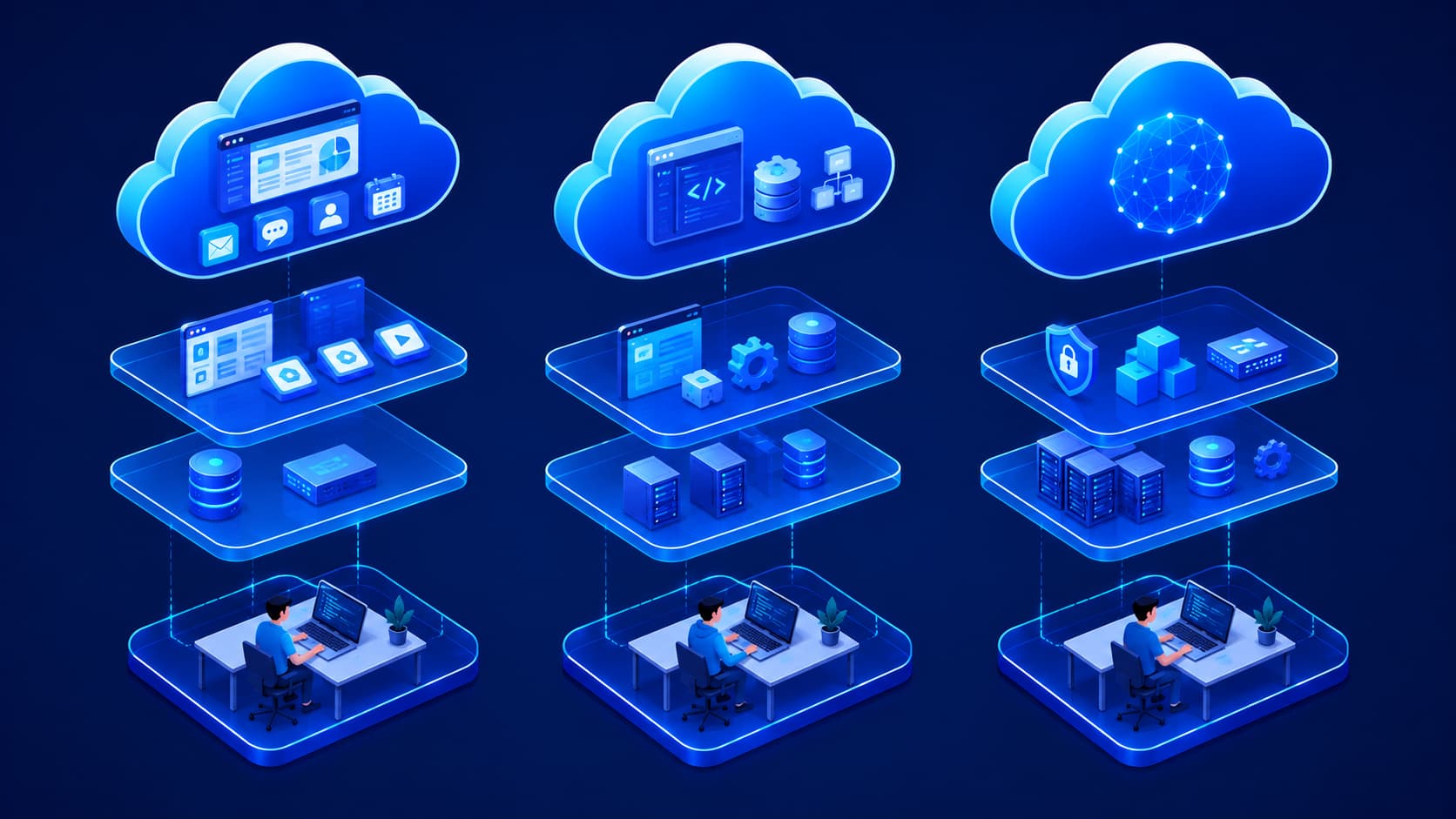
With IaaS, customers receive far more control—but they also assume greater responsibility for configuring and managing their environments.
A simple way to remember the differences is:
| Service Model | Primary Purpose | Customer Responsibility |
|---|---|---|
| SaaS | Use software | Very little |
| PaaS | Build applications | Application development |
| IaaS | Build and manage infrastructure | Infrastructure, operating systems, and applications |
As summarized in the source:
- SaaS lets you use software.
- PaaS lets you build software.
- IaaS lets you build the infrastructure where software runs.
Responsibility Increases With Flexibility
One useful way to visualize these models is as a progression.
As you move from SaaS to PaaS and then to IaaS:
- Flexibility increases.
- Customization options expand.
- Technical responsibility also grows.
Organizations should choose the model that provides the right balance between convenience and control for their specific needs.
Best Practice
Many organizations don't rely on a single cloud service model. Instead, they combine SaaS, PaaS, and IaaS to match different business requirements while optimizing cost, productivity, and operational efficiency.
Real-World Examples
Cloud service models become much easier to understand when viewed in practical situations.
SaaS Example
A company using Google Workspace or Microsoft 365 is using SaaS because the applications are fully managed by the provider.
Employees simply log in and begin working without managing servers or installing enterprise software.
PaaS Example
A software development team deploying applications with Google App Engine or Azure App Service is using PaaS because the platform manages much of the underlying infrastructure.
Developers focus primarily on writing, testing, and deploying code.
IaaS Example
An organization launching virtual machines on Amazon EC2 or Google Compute Engine is using IaaS because it manages:
- The operating system.
- Installed applications.
- Server configuration.
The cloud provider supplies the infrastructure, while the customer controls how it's configured and maintained.
Using Multiple Models Together
Although these examples belong to different service models, many organizations use all three simultaneously.
For example, a business might:
- Use SaaS for email and collaboration.
- Use PaaS for application development.
- Use IaaS for hosting specialized business systems.
Each model serves a different purpose, making them complementary rather than competitive.
Which Service Model Should You Choose?
There isn't a single cloud service model that's best for everyone.
The right choice depends entirely on what you're trying to accomplish and how much responsibility you want to manage yourself.
As a general guideline:
- Choose SaaS if you need software that's ready to use immediately.
- Choose PaaS if you're developing applications and want to avoid managing servers.
- Choose IaaS if your organization requires complete control over infrastructure, operating systems, and networking.
As organizations grow, it's common to combine all three service models to meet different operational requirements.
Rather than replacing one another, SaaS, PaaS, and IaaS work together to support a wide range of business needs.
A Simple Decision Guide
You can think of the three models as answering different questions:
- Do I just want to use software? → SaaS
- Do I want to build and deploy software? → PaaS
- Do I want complete control over my infrastructure? → IaaS
This perspective makes it easier to determine which model aligns with your technical and business objectives.
Editorial Insight
The best cloud strategy isn't about choosing the most advanced service model. It's about selecting the level of management that allows your team to focus on what creates the most value, whether that's using software, building applications, or managing complex infrastructure.
Frequently Asked Questions
What Do SaaS, PaaS, and IaaS Stand For?
These acronyms represent three primary cloud service models:
- SaaS — Software as a Service
- PaaS — Platform as a Service
- IaaS — Infrastructure as a Service
Each model delivers cloud services in a different way while assigning different levels of responsibility to the customer.
Which Cloud Service Model Is the Easiest to Use?
SaaS is generally considered the easiest option because the provider manages:
- The software.
- Infrastructure.
- Maintenance.
- Updates.
Users simply access the application and begin working without worrying about the underlying technology.
Do Businesses Use More Than One Service Model?
Yes.
Many organizations use a combination of SaaS, PaaS, and IaaS depending on their operational needs.
For example, a business might:
- Use SaaS for email and collaboration.
- Use PaaS for software development.
- Use IaaS for hosting custom applications.
This mixed approach allows companies to take advantage of each model's strengths.
Is IaaS Better Than SaaS?
Not necessarily.
IaaS provides greater flexibility and control, while SaaS emphasizes simplicity and ease of use.
The better option depends on how much customization and infrastructure management your organization requires.
Why Are SaaS, PaaS, and IaaS Important?
These service models make cloud computing more flexible by allowing users to choose how much of the underlying technology they want to manage themselves.
Instead of forcing every organization to use the same approach, cloud providers offer multiple service models that support different technical requirements, budgets, and business goals.
Conclusion
SaaS, PaaS, and IaaS represent three different ways of using cloud computing, each designed for a different level of responsibility and control.
- SaaS makes software easy to access without worrying about installation or maintenance.
- PaaS provides developers with a streamlined environment for building and deploying applications.
- IaaS delivers flexible infrastructure that organizations can configure to meet their own operational requirements.
Understanding these service models is an important step in learning cloud computing because they appear throughout modern IT environments, cloud certifications, enterprise architecture, and digital transformation strategies.
Rather than competing with one another, SaaS, PaaS, and IaaS complement each other, supporting everything from personal productivity tools to large-scale enterprise applications.
Final Takeaway
Cloud computing isn't a one-size-fits-all solution.
Instead, it offers multiple service models designed to match different levels of technical expertise and operational requirements.
Whether you're using an online productivity application, developing a new web service, or managing enterprise infrastructure, you're likely interacting with one of these cloud service models.
By understanding the differences between SaaS, PaaS, and IaaS, you'll be better prepared to evaluate cloud solutions, communicate effectively with technical teams, and build a stronger foundation for future learning in cloud computing and DevOps.