Computer networks have become an essential part of everyday life. Whether you're working remotely, attending online meetings, streaming videos, or managing business operations, a stable network connection is critical. Unfortunately, even well-designed networks occasionally experience problems. Some issues are simple to resolve, while others require more detailed investigation. Understanding the most common networking problems helps reduce downtime and improves overall network reliability.
This guide explores ten common network issues, their typical causes, and practical troubleshooting steps suitable for both home and office environments. Developing a structured troubleshooting approach not only saves time but also builds a stronger understanding of how computer networks operate.
1. Slow Internet Connection
Slow internet performance is one of the most frequently reported networking problems. It can affect everything from web browsing and cloud applications to video streaming and online gaming.
Common causes include:
- Network congestion.
- Weak Wi-Fi signal.
- Too many connected devices.
- Outdated networking equipment.
- Internet service provider (ISP) issues.
Recommended solutions include:
- Restart the modem and router.
- Move closer to the Wi-Fi router.
- Reduce unnecessary network usage.
- Check for firmware updates.
- Contact your ISP if the problem continues.
Practical Example
Imagine several family members are simultaneously:
- Streaming 4K videos.
- Downloading large files.
- Playing online games.
- Attending video meetings.
Because all devices share the same internet connection, available bandwidth becomes divided, causing slower speeds for everyone. Reducing unnecessary activity or upgrading the internet plan may improve overall performance.
Editorial Insight
Before assuming your internet provider is responsible, first determine whether the slowdown affects every device or only one. If only a single device is slow, the issue is more likely related to that device, its Wi-Fi connection, or local network configuration.
2. Wi-Fi Keeps Disconnecting
Frequent wireless disconnections can interrupt work, online meetings, gaming sessions, and video streaming. These interruptions are often caused by problems within the local wireless environment rather than by the internet connection itself.
Common causes include:
- Signal interference.
- Poor router placement.
- Weak wireless coverage.
- Outdated router firmware.
Possible solutions include:
- Move the router to a more central location.
- Reduce physical obstructions.
- Update the router's firmware.
- Minimize interference from nearby electronic devices.
Best Practice
Place your router in an open, central location away from thick walls, large metal objects, microwave ovens, and other electronic devices that may interfere with Wi-Fi signals. Small placement adjustments can significantly improve wireless coverage throughout a building.
3. No Internet Connection
Sometimes a device successfully connects to Wi-Fi but still cannot access the internet. This usually indicates that the local wireless connection is working, but communication with the internet has failed.
Possible causes include:
- ISP outages.
- Router configuration problems.
- Faulty modem.
- Damaged network cables.
Recommended troubleshooting steps include:
- Restart your networking equipment.
- Verify all cable connections.
- Check whether other devices have internet access.
- Contact your ISP if necessary.
Practical Example
If your laptop displays "Connected, No Internet", check whether your smartphone connected to the same Wi-Fi network can access websites.
- If neither device has internet access, the issue likely affects the router, modem, or ISP.
- If only one device is affected, the problem is probably limited to that specific device.
4. IP Address Conflicts
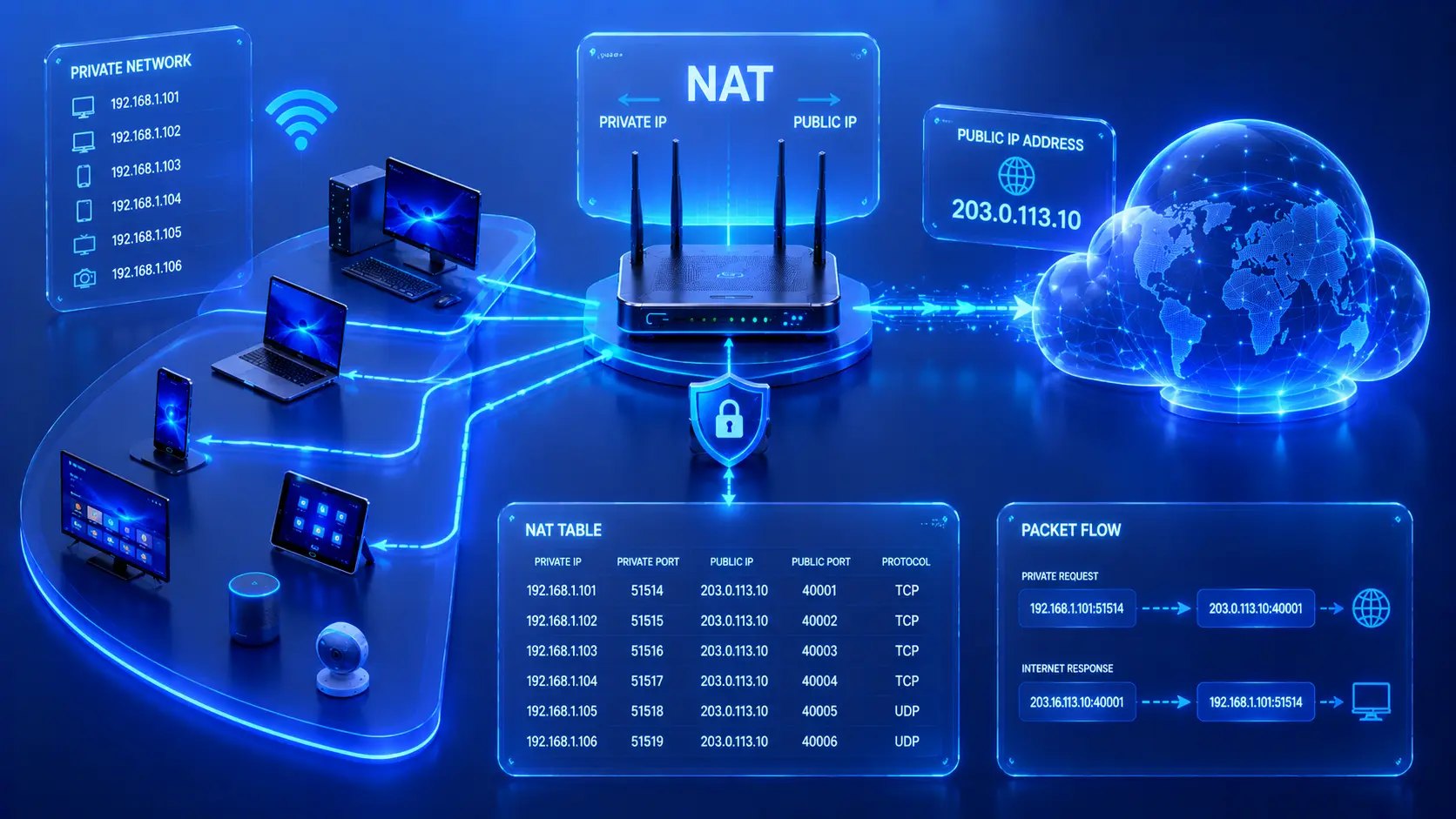
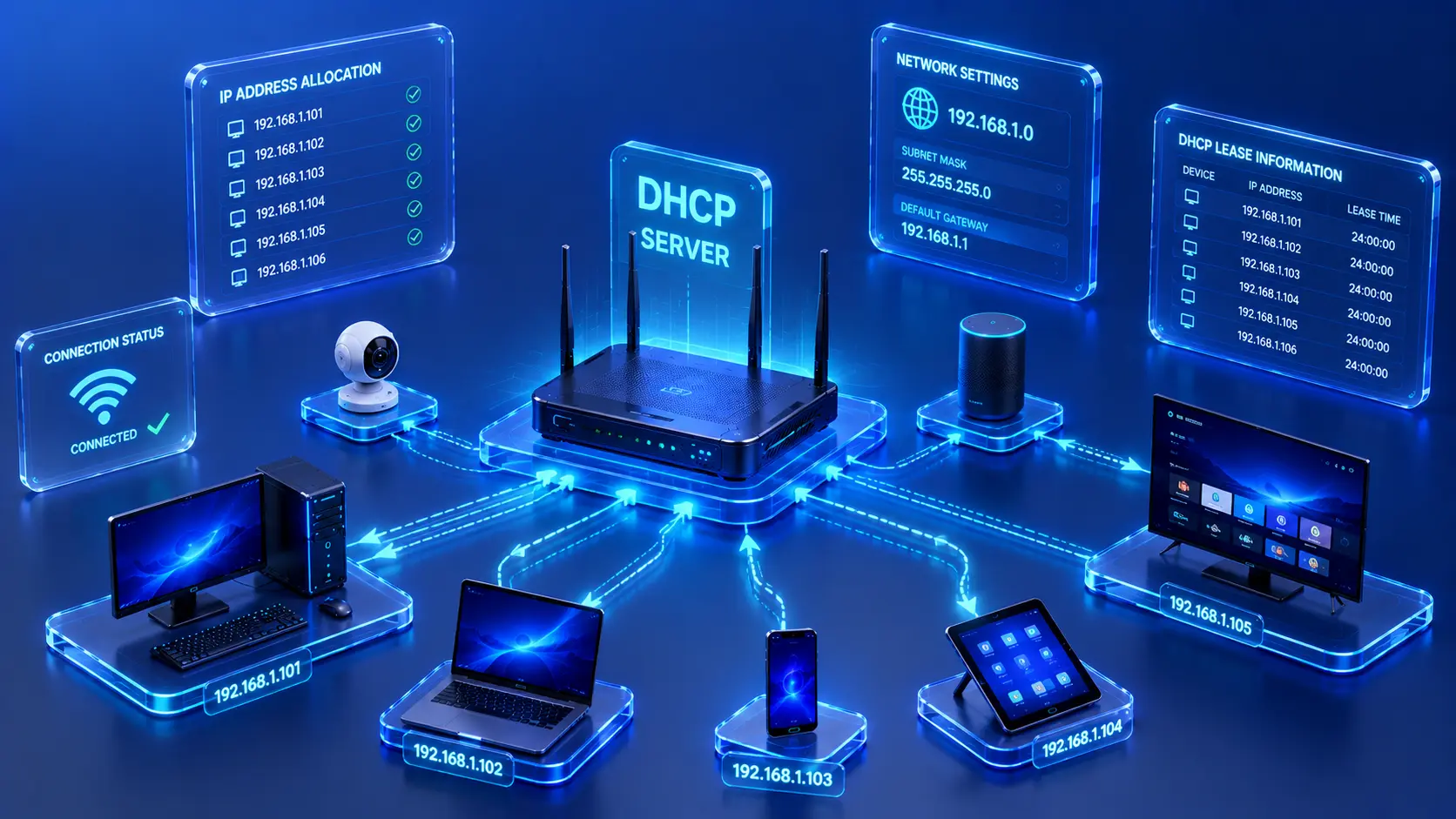
An IP address conflict occurs when two devices attempt to use the same IP address on a network. This can cause intermittent connectivity, failed network access, or operating system error messages.
Common symptoms include:
- Intermittent connectivity.
- Network access failures.
- IP conflict error messages.
Possible solutions include:
- Restart affected devices.
- Renew network settings.
- Restart the router.
- Verify network configuration if static IP addresses are being used.
Editorial Insight
Most home networks use automatic IP address assignment, making IP conflicts relatively uncommon. However, they become more likely in environments where devices are manually configured with static IP addresses.
5. Weak Wi-Fi Signal
A weak Wi-Fi signal is one of the most common causes of slow network performance and unstable wireless connections. Even with a fast internet plan, poor signal strength can significantly reduce the quality of your online experience.
Common causes include:
- Thick walls.
- Long distances from the router.
- Physical obstructions.
- Poor router placement.
Recommended solutions include:
- Move closer to the router.
- Reposition the router.
- Reduce obstacles whenever possible.
- Consider expanding wireless coverage if needed.
Practical Example
Suppose your bedroom is located at the opposite end of your house from the Wi-Fi router.
You may notice:
- Slower download speeds.
- Frequent buffering while streaming videos.
- Interrupted video calls.
- Delayed responses in online games.
Simply moving the router to a more central location—or adding a Wi-Fi extender or mesh networking system—can significantly improve wireless coverage.
Editorial Insight
Signal strength isn't determined by distance alone. Building materials such as concrete walls, metal structures, mirrors, and large appliances can weaken Wi-Fi signals, even when you're relatively close to the router.
6. Network Congestion
Network congestion occurs when too many devices or applications compete for the available bandwidth at the same time. As network demand increases, performance may decrease for everyone using the connection.
Common symptoms include:
- Slow downloads.
- Video buffering.
- Online gaming lag.
- Poor video call quality.
Possible solutions include:
- Limit unnecessary downloads during busy periods.
- Schedule large file transfers outside peak hours.
- Disconnect unused devices.
- Upgrade your internet plan if available bandwidth is consistently insufficient.
Best Practice
If multiple people regularly stream videos, attend video meetings, and download large files simultaneously, monitor your network usage patterns. Understanding when peak usage occurs can help you schedule bandwidth-intensive tasks more effectively.
7. High Network Latency
Latency refers to the time it takes for data to travel between devices across a network. High latency doesn't necessarily reduce download speed, but it does increase delays, making interactive applications feel slow or unresponsive.
High latency may cause:
- Delayed online gaming.
- Lag during video conferences.
- Slow responses from cloud applications.
Possible causes include:
- Long communication routes.
- Network congestion.
- Wireless interference.
- Internet service provider issues.
Recommended solutions include:
- Use a wired Ethernet connection whenever possible.
- Close unnecessary network-intensive applications.
- Restart networking equipment.
- Contact your ISP if latency remains consistently high.
Practical Example
Imagine you're participating in an online meeting.
Although the video quality appears clear, conversations feel awkward because voices arrive one or two seconds late. This is a classic example of high latency affecting real-time communication rather than insufficient download speed.
8. DNS Resolution Problems
Sometimes websites fail to load even though your internet connection appears to be working normally. One common cause is a problem with the Domain Name System (DNS), which translates website names into IP addresses so devices can locate the correct servers.
Common symptoms include:
- Websites cannot be reached by name.
- Error messages indicating that the server cannot be found.
- Some websites work while others remain inaccessible.
Possible solutions include:
- Restart the router.
- Flush the local DNS cache if supported by your operating system.
- Try another trusted DNS provider.
- Wait if the issue originates from the DNS service provider.
Editorial Insight
Many users immediately assume their internet connection is broken when websites won't load. In reality, a DNS issue may prevent domain names from being translated correctly even though the underlying internet connection is still functioning.
9. Faulty Network Hardware
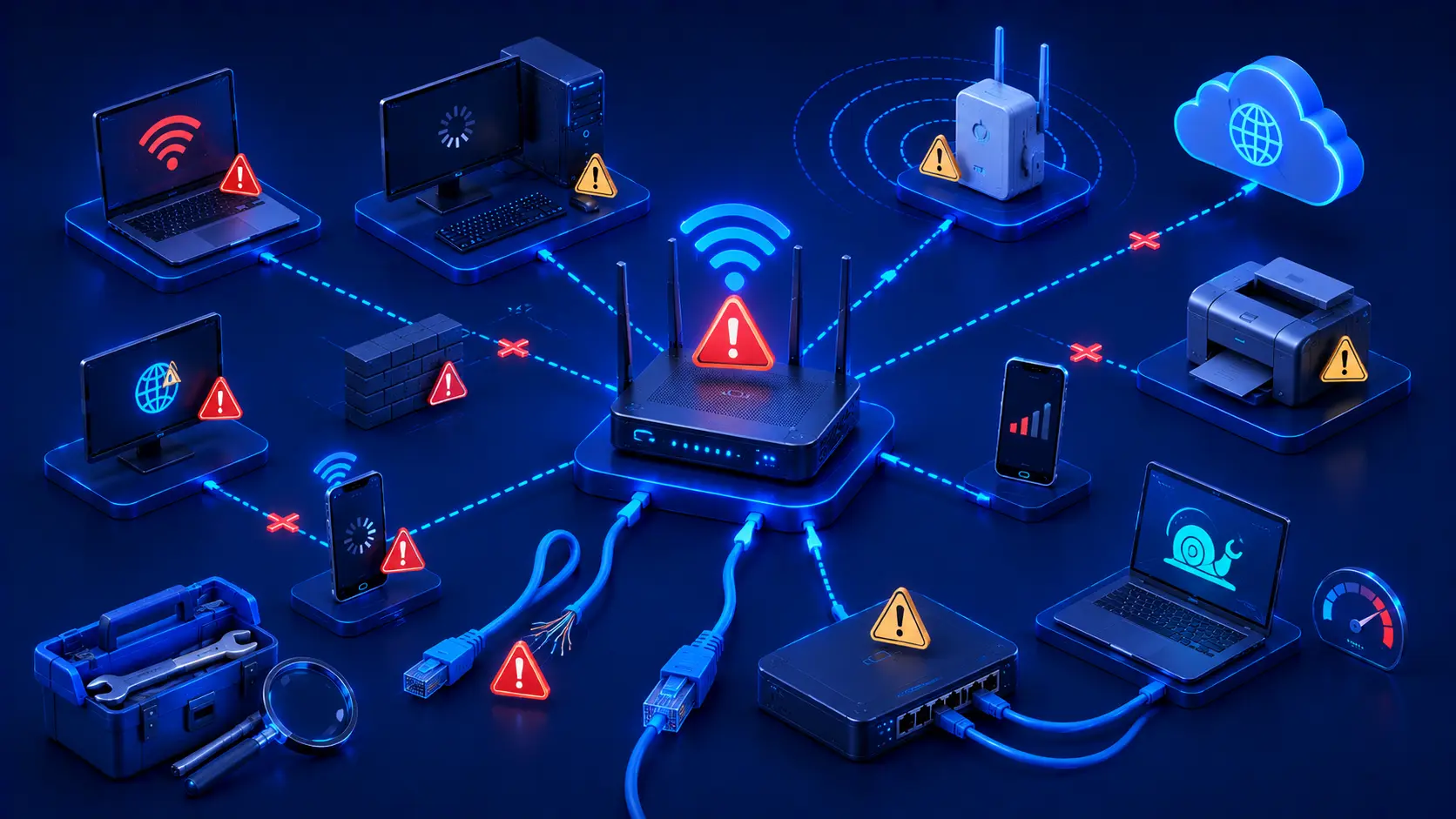
Even a well-designed network can experience problems if its hardware begins to fail. Damaged or aging networking equipment can interrupt communication unexpectedly and may lead to intermittent or complete network outages.
Common hardware-related issues include:
- Damaged Ethernet cables.
- Failing routers.
- Defective switches.
- Loose cable connections.
- Overheating networking equipment.
Recommended troubleshooting steps include:
- Inspect cables for visible damage.
- Verify that power connections are secure.
- Replace faulty Ethernet cables.
- Restart or replace malfunctioning networking hardware if necessary.
Practical Example
Suppose every computer in an office suddenly loses access to the network.
Before assuming there's a software issue, check for simple hardware problems such as:
- A loose Ethernet cable.
- A router that has lost power.
- An overheating switch.
- Damaged connectors.
In many cases, resolving a hardware fault restores normal connectivity immediately.
10. Outdated Network Equipment
Older networking devices may struggle to keep up with modern internet speeds and the growing number of connected devices found in today's homes and businesses. As technology advances, aging routers and switches can become performance bottlenecks.
Common symptoms include:
- Frequent disconnections.
- Slow wireless performance.
- Limited Wi-Fi coverage.
- Reduced overall reliability.
Possible solutions include:
- Keep device firmware up to date.
- Replace aging networking equipment when appropriate.
- Choose hardware that matches your current networking requirements.
Editorial Insight
A fast internet subscription alone cannot compensate for outdated networking hardware. If your router or switch no longer supports modern networking standards, upgrading the equipment may significantly improve both speed and reliability.
General Network Troubleshooting Tips
Many networking issues can be resolved by following a structured, step-by-step troubleshooting process. Rather than making multiple changes at once, isolate the problem methodically to identify its root cause more efficiently.
Helpful troubleshooting practices include:
- Restart networking devices.
- Verify physical cable connections.
- Check the indicator lights on routers and switches.
- Test the connection using another device.
- Determine whether the issue affects one device or the entire network.
- Keep networking equipment updated.
- Document recurring problems to identify patterns.
Best Practice
Always troubleshoot from the simplest possibilities first. Checking cables, restarting equipment, and testing another device often resolves common issues much faster than changing advanced network settings.
Real-World Examples
Home Network
A family notices that their Wi-Fi becomes slow every evening because several people are streaming videos simultaneously. Reducing unnecessary bandwidth usage or upgrading the internet plan improves the overall experience.
Small Business
Employees lose internet access after a damaged Ethernet cable disconnects the office switch. Replacing the damaged cable restores normal network connectivity.
Remote Worker
A remote employee experiences repeated interruptions during video conferences because of weak Wi-Fi coverage. Switching to a wired Ethernet connection provides a more stable and reliable networking experience.
Common Misconceptions
Restarting the Router Doesn't Fix Everything
Restarting networking equipment often resolves temporary problems, but recurring issues may indicate hardware failures, incorrect configurations, or internet service provider outages.
Slow Internet Isn't Always the ISP's Fault
Many network performance issues originate inside the local network rather than with the internet provider. Weak Wi-Fi signals, overloaded devices, outdated hardware, and poor network configuration can all reduce performance.
More Wi-Fi Bars Don't Guarantee Better Performance
A strong wireless signal does not automatically mean you'll experience fast or reliable internet. Overall performance also depends on available bandwidth, network congestion, hardware capabilities, and the quality of your internet service.
Frequently Asked Questions
What Is the Most Common Network Problem?
Slow internet performance is one of the most frequently reported networking issues in both homes and businesses.
How Do I Know Whether the Problem Is My Router or My Internet Provider?
If multiple devices lose internet access simultaneously—even after restarting your networking equipment—the issue may originate with your internet service provider. If only one device is affected, the problem is more likely local to that device or its connection.
Can Old Routers Cause Slow Internet?
Yes.
Older routers may not support modern networking standards, faster internet speeds, or the growing number of connected devices found in today's homes and businesses.
Why Does My Wi-Fi Disconnect Randomly?
Possible causes include:
- Signal interference.
- Outdated firmware.
- Weak wireless coverage.
- Overloaded hardware.
- Temporary internet service interruptions.
When Should I Replace My Networking Equipment?
Consider replacing networking equipment if it:
- Frequently fails.
- No longer receives firmware updates.
- Cannot support your internet speed.
- Struggles to handle the number of connected devices on your network.
Conclusion
Network problems are an inevitable part of using modern technology, but many common issues can be diagnosed and resolved using a structured troubleshooting approach. Understanding problems such as slow internet connections, weak Wi-Fi signals, IP address conflicts, DNS issues, hardware failures, and network congestion allows users to identify likely causes more quickly and take appropriate action.
Regular maintenance, up-to-date networking equipment, and good network management practices can significantly improve reliability while reducing downtime. Developing basic troubleshooting skills not only saves time but also provides a deeper understanding of how computer networks operate.
Final Takeaway
Keep these troubleshooting principles in mind whenever you encounter network problems:
- Identify whether the issue affects one device or the entire network.
- Start with simple checks such as cables, power, and router status.
- Restart networking equipment before attempting more advanced solutions.
- Keep routers, switches, and other networking devices updated.
- Replace aging or faulty hardware when it becomes a recurring source of problems.
- Use a systematic troubleshooting process instead of changing multiple settings at once.
With a logical and methodical approach, most common networking issues can be resolved efficiently, helping you maintain a faster, more reliable, and more stable network at home or in the workplace.