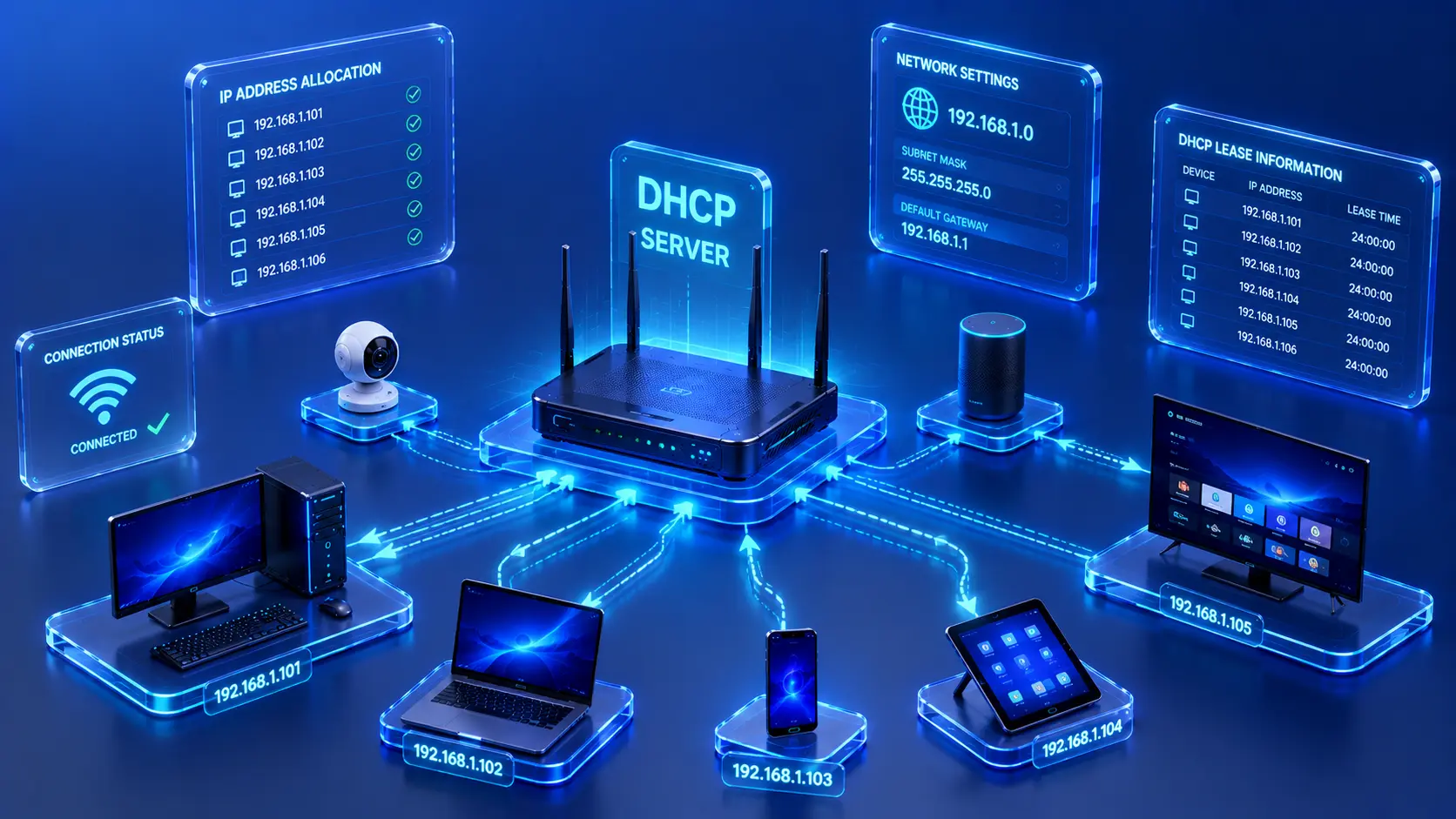
Imagine manually configuring an IP address, subnet mask, default gateway, and DNS server every time you connect a new device to a network. Now imagine repeating that process for dozens or even hundreds of computers, smartphones, printers, and smart home devices. Managing a network this way would be time-consuming, inefficient, and highly prone to configuration errors. Fortunately, modern networks rely on the Dynamic Host Configuration Protocol (DHCP) to automate this entire process.
DHCP automatically provides essential network configuration information to devices as soon as they join a network, allowing them to communicate without requiring manual setup. Whether you're connecting your laptop to your home Wi-Fi or joining a corporate office network, DHCP is almost certainly working behind the scenes to make the connection seamless.
What Is DHCP?
Dynamic Host Configuration Protocol (DHCP) is a network management protocol that automatically assigns IP addresses and other essential network settings to devices connected to a network. Instead of requiring administrators or users to configure every device manually, a DHCP server distributes the necessary information whenever a device connects.
A DHCP server typically assigns:
- IP address
- Subnet mask
- Default gateway
- DNS server addresses
- Lease duration
Because this process is automatic, devices can begin communicating almost immediately after joining the network without requiring any manual configuration.
Practical Example
Imagine purchasing a new laptop and connecting it to your home Wi-Fi for the first time.
Within just a few seconds, the laptop automatically receives:
- An IP address.
- The subnet mask.
- The default gateway.
- DNS server information.
You can immediately begin browsing the internet without entering any networking settings yourself. DHCP handles the entire configuration process automatically.
Editorial Insight
Most users never notice DHCP because it works silently in the background. However, every successful Wi-Fi connection depends on DHCP (or an equivalent manual configuration) assigning valid network settings before communication can begin.
Why DHCP Is Important
Without DHCP, every device on a network would require manual configuration. As networks grow, this quickly becomes difficult to manage and significantly increases the risk of human error. DHCP simplifies network administration by automating one of the most repetitive networking tasks.
DHCP provides several important advantages:
- Simplifies network administration.
- Reduces configuration errors.
- Prevents duplicate IP addresses.
- Saves time.
- Makes adding new devices effortless.
- Supports networks ranging from small homes to large enterprises.
These benefits have made DHCP a standard feature in nearly every modern network, from home Wi-Fi routers to enterprise environments.
Best Practice
Unless you have a specific reason to assign static IP addresses, allow client devices such as laptops, smartphones, tablets, and desktop computers to obtain their network settings automatically through DHCP. This reduces maintenance while minimizing configuration mistakes.
How DHCP Works
When a device joins a network for the first time, it usually doesn't yet have an IP address. To obtain one, it communicates with a DHCP server using a four-step exchange commonly known as the DORA process.
Step 1 — Discover
The process begins when the device broadcasts a DHCP Discover message across the network. This message asks whether a DHCP server is available to provide the necessary network configuration.
Step 2 — Offer
A DHCP server responds with a DHCP Offer message. The offer typically includes:
- An available IP address.
- The subnet mask.
- The default gateway.
- DNS server addresses.
- Lease duration.
At this stage, the address has only been offered—it has not yet been officially assigned.
Practical Example
Suppose you connect your smartphone to a café's Wi-Fi network.
The router immediately searches for an available IP address and sends an offer containing all the network information your phone needs. Your device can then decide whether to accept the offered configuration before continuing to the next stage of the process.
Step 3 — Request
After receiving the DHCP Offer, the device responds with a DHCP Request message. This message informs the DHCP server that the device accepts the offered IP address and wishes to use it for network communication.
At this point, the device is essentially confirming:
"I'd like to use the network configuration you offered."
This confirmation prevents multiple devices from accidentally claiming the same address during the assignment process.
Step 4 — Acknowledge
The DHCP server completes the process by sending a DHCP Acknowledge (ACK) message. Once this acknowledgment is received, the device officially obtains its network configuration and can begin communicating with other devices on the local network and with the internet.
The entire DORA process typically takes only a few milliseconds, making the connection appear almost instantaneous to the user.
Practical Example
Imagine turning on your laptop after arriving at your office.
Within seconds, the following sequence occurs:
- Your laptop searches for a DHCP server.
- The DHCP server offers an available IP address.
- Your laptop accepts the offer.
- The server confirms the assignment.
- Your laptop immediately gains network and internet access.
Although several messages are exchanged, the process completes so quickly that most users never notice it happening.
Editorial Insight
The DORA process is one of the most fundamental concepts in computer networking. Understanding these four steps makes it much easier to troubleshoot connectivity problems when devices fail to obtain an IP address.
What Is a DHCP Lease?
A DHCP lease is the period during which a device is permitted to use an assigned IP address. Instead of permanently assigning addresses, the DHCP server leases them for a specified amount of time. Before the lease expires, the device automatically attempts to renew it.
If the renewal is successful:
- The device continues using the same IP address.
- Network connectivity remains uninterrupted.
If a device disconnects from the network and does not renew its lease, the DHCP server returns that IP address to the available address pool, allowing another device to use it. This approach helps conserve IP addresses and ensures efficient address management.
Best Practice
There's usually no need to manually renew a DHCP lease. However, if a device experiences network connectivity problems, renewing the lease or reconnecting to the network can often resolve temporary IP assignment issues.
What Information Does DHCP Assign?
Although DHCP is best known for assigning IP addresses, it automatically provides several other configuration settings that devices need to communicate correctly on a network.
A DHCP server commonly assigns:
- IP address.
- Subnet mask.
- Default gateway.
- Preferred and secondary DNS servers.
- Lease duration.
- Domain name (optional).
- Network Time Protocol (NTP) server (optional).
By supplying all of this information automatically, DHCP eliminates the need for users to configure network settings manually.
Practical Example
When your smartphone joins a Wi-Fi network, DHCP doesn't simply provide an IP address.
It also tells the phone:
- Which router to use as the default gateway.
- Which DNS servers should translate website names.
- How long it may keep the assigned address.
Without this information, the device would be unable to communicate properly with the network.
DHCP in Everyday Networks
DHCP is used in nearly every type of modern network, from home Wi-Fi systems to large enterprise environments. Although most users never interact directly with DHCP, they benefit from its automation every time they connect a device.
Home Networks
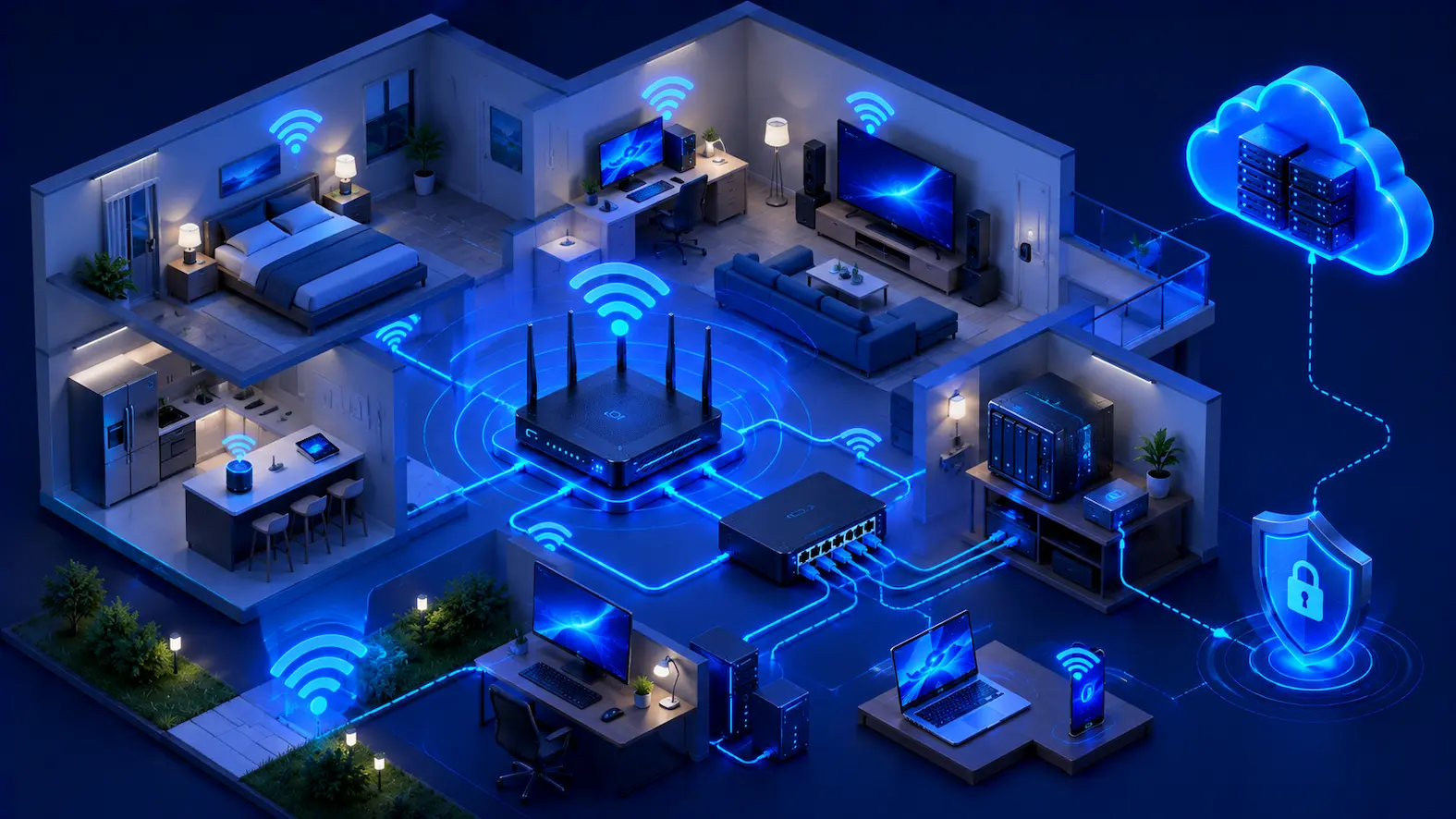
Most home Wi-Fi routers include a built-in DHCP server. Whenever a smartphone, laptop, gaming console, or smart TV joins the network, the router automatically assigns the required network settings. This entire process usually completes within seconds without requiring any user intervention.
Office Networks
Business environments often rely on dedicated DHCP servers capable of managing hundreds or even thousands of connected devices. Network administrators can configure IP address ranges, lease durations, and reservation rules to simplify large-scale network management.
Public Wi-Fi
Hotels, airports, cafés, schools, and libraries also depend on DHCP. Every time a visitor connects to a wireless network, the DHCP server automatically assigns a temporary IP address that remains valid for the duration of the connection.
DHCP Reservation
In some situations, certain devices should always receive the same IP address whenever they connect to the network. This can be achieved using DHCP reservation, a feature that combines the convenience of automatic configuration with the consistency of a fixed IP address.
Instead of manually configuring a static IP address on the device itself, the DHCP server remembers the device's MAC address and automatically assigns the same IP address each time it reconnects to the network.
DHCP reservation is commonly used for:
- Printers.
- Network Attached Storage (NAS).
- Security cameras.
- Servers.
- Smart home hubs.
Practical Example
Imagine you have a network printer that everyone in your office uses.
If the printer receives a different IP address every time it reconnects, computers configured to print to the old address may no longer be able to find it.
By creating a DHCP reservation, the printer always receives the same IP address automatically, making it consistently accessible without requiring manual network configuration.
Editorial Insight
DHCP reservation is often the best solution for devices that need predictable IP addresses. It provides the reliability of a static IP while still allowing the DHCP server to manage the configuration automatically.
DHCP vs Static IP Address
Both DHCP and static IP addressing have their own strengths. Choosing the right approach depends on the type of device and how it will be used on the network.
| Feature | DHCP | Static IP |
|---|---|---|
| Configuration | Automatic | Manual |
| Ease of setup | Very easy | Requires manual configuration |
| Risk of IP conflicts | Very low | Higher if configured incorrectly |
| Best for | Most client devices | Servers, printers, and networking equipment |
| Maintenance | Minimal | Manual updates may be required |
For most home and office client devices, DHCP is the preferred choice because it simplifies administration while reducing configuration errors.
Best Practice
Use DHCP for everyday devices such as:
- Laptops.
- Smartphones.
- Tablets.
- Desktop computers.
Reserve static IP addresses—or preferably DHCP reservations—for infrastructure devices that must always be reachable at the same network address.
Common DHCP Problems
Although DHCP is generally reliable, issues can occasionally occur that prevent devices from obtaining a valid IP address or connecting to the network.
Some common DHCP-related problems include:
- DHCP server unavailable.
- IP address pool exhausted.
- Incorrect DHCP configuration.
- Duplicate DHCP servers on the same network.
- Expired lease not renewed.
- Network hardware failures.
Many connectivity issues can often be resolved by renewing the device's DHCP lease or restarting the router or DHCP server.
Practical Example
Suppose your laptop suddenly displays "No Internet Connection."
After reconnecting to Wi-Fi, the device still cannot access the internet because it failed to obtain a valid IP address.
In many cases, the issue can be resolved by:
- Renewing the DHCP lease.
- Restarting the router.
- Temporarily disconnecting and reconnecting to the network.
These simple troubleshooting steps often restore connectivity without requiring any manual IP configuration.
Editorial Insight
Many people assume internet outages are caused by their ISP. In reality, local DHCP issues are often responsible for devices failing to join an otherwise healthy network. Understanding DHCP makes troubleshooting much easier.
Common Misconceptions
DHCP and DNS Are the Same Thing
Although DHCP and DNS often work together, they perform completely different functions.
- DHCP automatically assigns network configuration information such as IP addresses, subnet masks, gateways, and DNS servers.
- DNS translates human-readable domain names into IP addresses so devices can locate websites and online services.
Understanding this distinction is important because the two protocols solve different networking problems while complementing each other during normal network operation.
DHCP Always Changes My IP Address
Not necessarily.
Many devices continue using the same IP address for extended periods because they successfully renew their DHCP lease before it expires. As long as the lease is renewed and the address remains available, the DHCP server will often continue assigning the same IP address to the device.
Static IP Addresses Are Always Better
Static IP addresses are valuable for servers and infrastructure devices, but they also require manual configuration and ongoing management.
For most client devices—including laptops, smartphones, tablets, and desktop computers—DHCP is generally simpler, more efficient, and less prone to configuration errors.
Editorial Insight
Choosing between DHCP and static IP addressing isn't about deciding which is universally "better." Instead, it's about selecting the right solution for each device. In most networks, DHCP handles the majority of devices, while static addresses or DHCP reservations are reserved for systems that require predictable network locations.
Frequently Asked Questions
What Does DHCP Stand For?
DHCP stands for Dynamic Host Configuration Protocol. It is a networking protocol that automatically assigns IP addresses and other network configuration settings to connected devices.
Does Every Router Include DHCP?
Most consumer routers include a built-in DHCP server that is enabled by default. This allows devices to receive network settings automatically as soon as they connect to the router.
Can I Disable DHCP?
Yes.
However, if DHCP is disabled, every device must be configured manually with its own IP address, subnet mask, gateway, DNS servers, and other required network settings. For most home users, this significantly increases administrative work and the risk of configuration errors.
Can Two Devices Receive the Same IP Address?
Under normal operation, DHCP prevents duplicate IP addresses by tracking which addresses have already been leased to connected devices.
IP conflicts typically occur only because of manually configured static IP addresses or incorrect network configuration.
When Should I Use a Static IP Address?
Static IP addresses are commonly used for:
- Servers.
- Network printers.
- NAS (Network Attached Storage) devices.
- Other infrastructure equipment that should always be reachable using the same IP address.
Conclusion
The Dynamic Host Configuration Protocol (DHCP) is one of the most important services in modern networking because it automates the assignment of IP addresses and other essential network settings. By eliminating manual configuration, DHCP reduces errors, simplifies network administration, and allows devices to join a network within seconds.
Whether you're using a home Wi-Fi router, connecting to public wireless internet, or managing a large enterprise network, DHCP quietly works behind the scenes to ensure every device receives the information it needs to communicate successfully. Understanding DHCP also provides a stronger foundation for learning more advanced networking concepts, since many core networking technologies depend on accurate IP address management.
Final Takeaway
Remember these key concepts about DHCP:
- DHCP automatically assigns IP addresses and other essential network settings.
- The DORA process (Discover, Offer, Request, Acknowledge) enables devices to join a network automatically.
- DHCP leases help manage IP addresses efficiently by assigning them for a limited period.
- DHCP reservations provide fixed IP addresses while maintaining automatic management.
- Most home and office devices benefit from DHCP because it minimizes configuration errors.
- Static IP addresses are generally best reserved for servers, printers, NAS devices, and other infrastructure equipment.
- Understanding DHCP makes it easier to troubleshoot connectivity issues and manage networks of any size.
Although DHCP operates almost invisibly, it plays a critical role in modern networking. Every time you connect a laptop, smartphone, gaming console, smart TV, or other device to a network, DHCP is typically responsible for ensuring that communication begins quickly, correctly, and without manual configuration.