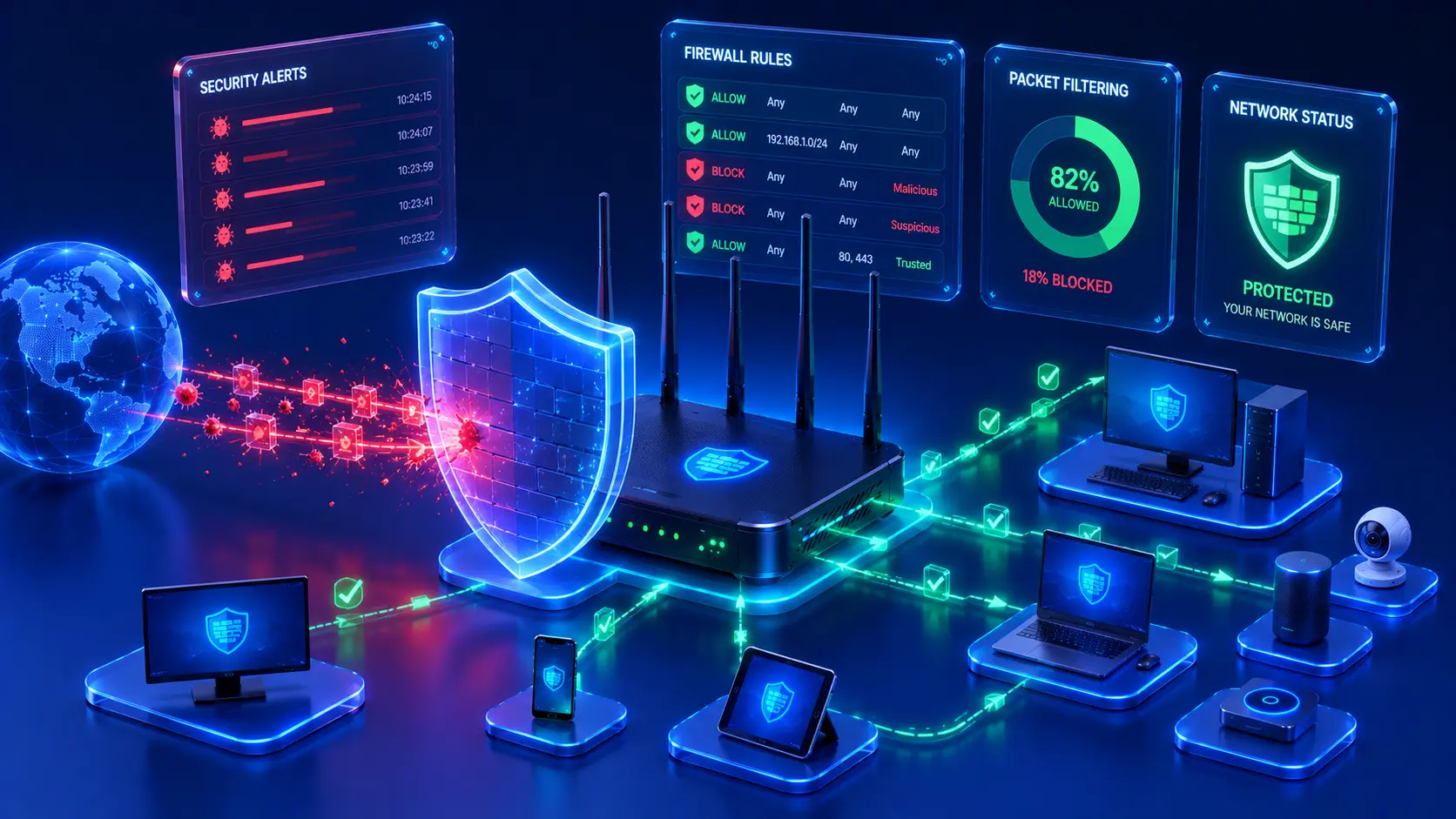
Every day, billions of devices exchange information across the internet. Your laptop downloads files, your smartphone receives messages, your smart TV streams videos, and your gaming console connects to online servers. While this constant flow of data makes modern life more convenient, it also creates opportunities for malicious traffic to reach your devices.
Without proper protection, unauthorized users, malware, and automated attacks could attempt to access your network.
This is where a firewall becomes essential.
A firewall acts as a security barrier between trusted and untrusted networks. It inspects network traffic and decides whether data should be allowed or blocked based on predefined security rules. Whether you're using a home Wi-Fi router, a corporate network, or cloud infrastructure, a firewall is almost always working behind the scenes to help protect your devices and sensitive information.
What Is a Firewall?
A firewall is a network security system that monitors and controls incoming and outgoing network traffic according to a predefined set of security rules. Its primary purpose is to prevent unauthorized access while allowing legitimate communication to continue normally.
One of the easiest ways to understand a firewall is to compare it to a security checkpoint at the entrance of a building.
Everyone entering the building must pass through the checkpoint, where security personnel determine whether entry should be permitted. Similarly, every network packet passing through a firewall is inspected before it is allowed to continue to its destination.
Practical Example
Imagine someone on the internet attempts to establish a remote connection to your home computer.
Before that request reaches your device, your router's firewall evaluates it against its security rules. If the connection is unauthorized or suspicious, the firewall blocks the request automatically, preventing it from reaching your computer.
Most home users never notice this protection because it operates silently in the background.
Editorial Insight
Many people think of a firewall as software installed on a computer. In reality, firewalls exist in many forms, including hardware appliances, home routers, cloud platforms, and enterprise security gateways. Regardless of where they're deployed, they all serve the same fundamental purpose: controlling network traffic based on security policies.
Why Firewalls Are Important
Modern networks are continuously exposed to threats originating from the public internet. Without a firewall, connected devices could become vulnerable to unauthorized access attempts and many different forms of cyberattacks.
Firewalls provide several important benefits:
- Block unauthorized access.
- Reduce exposure to internet-based attacks.
- Control incoming and outgoing network traffic.
- Help protect sensitive information.
- Improve overall network security.
Although a firewall cannot stop every cyber threat, it forms one of the most important layers in a comprehensive cybersecurity strategy.
Best Practice
A firewall should never be your only line of defense. The strongest security comes from combining firewall protection with regular software updates, strong passwords, multi-factor authentication (MFA), antivirus software, and user awareness training.
How a Firewall Works
Whenever network traffic reaches a firewall, the firewall examines the information contained within each packet. It compares the packet against a predefined set of security rules and then decides whether the traffic should be allowed or blocked.
Step 1 — Traffic Arrives
A network packet arrives at the firewall from either the internet or the local network. Every packet must be evaluated before it is forwarded to its destination.
Step 2 — Packet Inspection
The firewall examines important information contained in the packet, including:
- Source IP address.
- Destination IP address.
- Port number.
- Network protocol (TCP, UDP, or ICMP).
- Connection state.
This information helps the firewall determine whether the communication matches an approved security policy.
Step 3 — Rule Evaluation
After inspecting the packet, the firewall compares the collected information against its configured security policies. These rules determine whether the traffic should be trusted or denied.
Typical firewall rules include:
- Allow web browsing using HTTP and HTTPS.
- Allow DNS requests.
- Block unauthorized remote access attempts.
- Deny suspicious or unrecognized connections.
The rule evaluation process is one of the firewall's most important functions because it determines exactly which types of network communication are permitted.
Step 4 — Action
Once the appropriate rule has been identified, the firewall performs one of two actions:
- Allow the packet to continue to its destination.
- Block and discard the packet.
This entire inspection process occurs continuously and usually within milliseconds, allowing users to browse the internet without noticing any delay.
Practical Example
Suppose you open your web browser and visit a secure website.
The firewall examines the outgoing HTTPS connection, recognizes that encrypted web browsing is permitted by its security policy, and allows the connection to proceed.
Now imagine an unknown device attempts to establish an unauthorized remote connection to your computer. Because that traffic does not match an approved rule, the firewall blocks it before it reaches your device.
Editorial Insight
A firewall doesn't decide randomly whether traffic is allowed. Every decision is based on predefined rules created by the operating system, router manufacturer, network administrator, or security team. This rule-based approach provides predictable and consistent protection across the network.
Where Firewalls Are Used
Firewalls protect many different types of environments, from small home networks to massive enterprise infrastructures. Although their scale varies, their primary objective remains the same: controlling network traffic and reducing security risks.
Home Networks
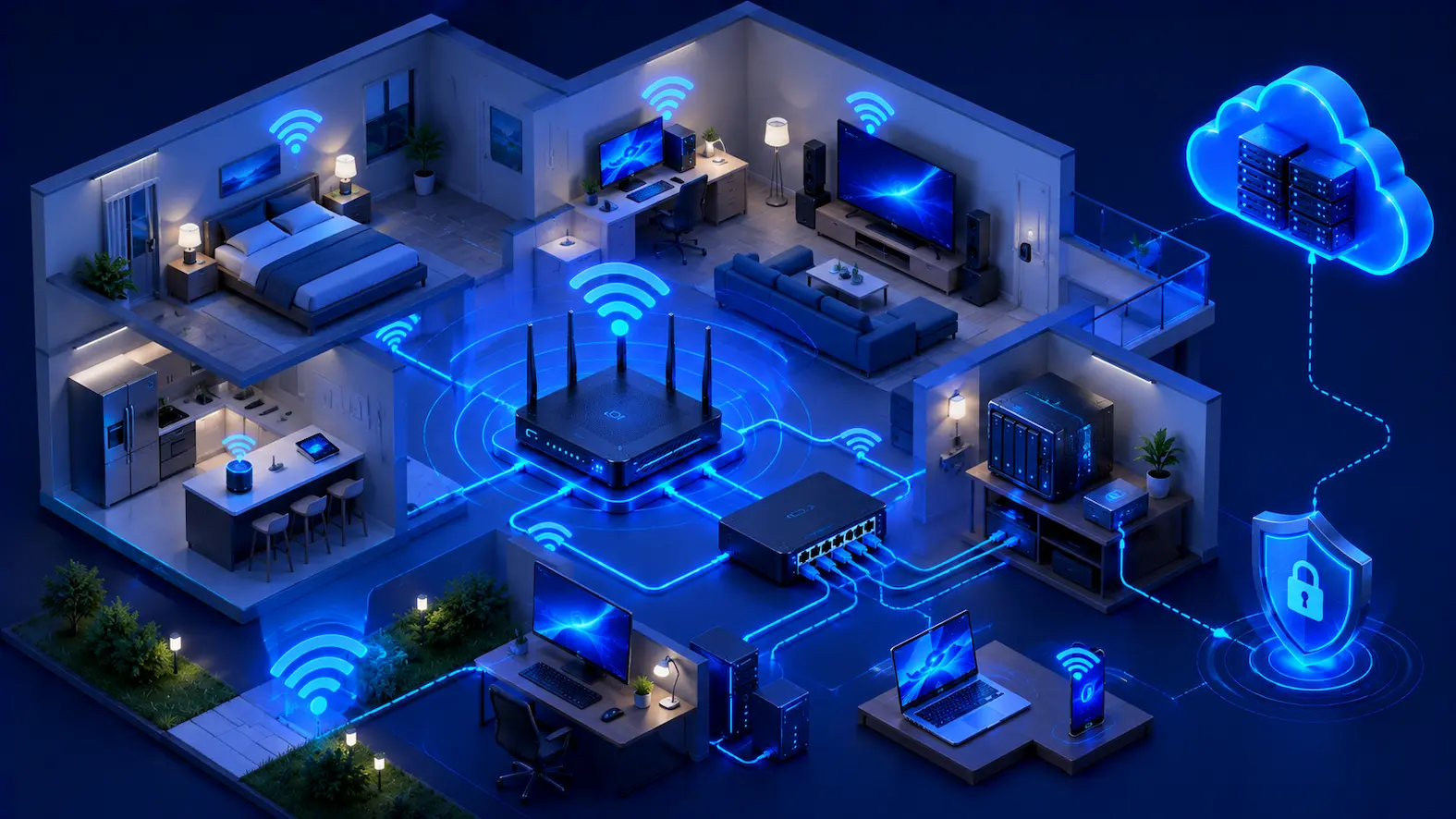
Most modern Wi-Fi routers include a built-in firewall that automatically helps protect computers, smartphones, gaming consoles, smart TVs, and other connected devices from unsolicited internet traffic.
Business Networks
Organizations often deploy dedicated firewall appliances to protect internal systems, servers, and employee devices from external threats while controlling communication between different network segments.
Cloud Platforms
Cloud providers use virtual firewalls and security groups to control access to cloud-hosted applications and services. Administrators define rules that determine which systems may communicate with cloud resources.
Data Centers
Large data centers rely on enterprise-grade firewalls capable of inspecting enormous volumes of network traffic while enforcing strict security policies across thousands of servers and applications.
Best Practice
Every environment has different security requirements. A home network may rely primarily on a router's built-in firewall, while enterprise environments often combine multiple firewalls, intrusion prevention systems, and advanced monitoring tools to create layered protection.
Types of Firewalls
Firewall technology has evolved significantly over the years. Modern firewalls provide much more than simple packet filtering, offering advanced inspection capabilities and greater visibility into network activity.
Packet Filtering Firewall
A packet filtering firewall is the simplest type of firewall.
It evaluates individual network packets using information such as:
- Source IP address.
- Destination IP address.
- Port number.
- Network protocol.
If a packet matches an approved rule, it is allowed to pass. Otherwise, it is blocked.
Although packet filtering is fast and efficient, it provides only basic protection because each packet is evaluated independently.
Stateful Inspection Firewall
A stateful inspection firewall goes beyond examining individual packets.
Instead of evaluating every packet in isolation, it keeps track of active network connections and determines whether incoming traffic belongs to an existing, legitimate communication session. Because it understands the state of each connection, this type of firewall provides stronger security while maintaining excellent performance.
Most modern home and business routers use stateful inspection technology.
Next-Generation Firewall (NGFW)
A Next-Generation Firewall (NGFW) combines traditional firewall capabilities with advanced security features designed for modern networks.
These features may include:
- Application awareness.
- Intrusion Prevention System (IPS).
- Malware detection.
- Deep packet inspection.
- URL filtering.
- User identity awareness.
NGFW solutions are widely deployed in enterprise environments where organizations require deeper visibility into network activity and stronger protection against sophisticated cyber threats.
Software Firewall vs Hardware Firewall
Firewalls can be implemented in different ways depending on the level of protection required. The two most common implementations are software firewalls and hardware firewalls. While both help secure network traffic, they protect different parts of a computing environment.
Software Firewall
A software firewall runs directly on an operating system and protects the individual device on which it is installed.
Examples include the built-in firewalls available in:
- Windows.
- macOS.
- Many Linux distributions.
Because it operates locally, a software firewall can monitor and control network communication for that specific computer, helping prevent unauthorized applications or connections from accessing the system.
Hardware Firewall
A hardware firewall is typically integrated into a Wi-Fi router or deployed as a dedicated network security appliance.
Rather than protecting a single computer, it safeguards every device connected to the network, including desktops, laptops, smartphones, gaming consoles, printers, and smart home devices.
Many organizations use both hardware and software firewalls together to create multiple layers of protection. This layered approach helps reduce the likelihood that a single security failure will compromise the entire network.
Editorial Insight
Think of a hardware firewall as a security guard stationed at the entrance to a building, while a software firewall acts like a lock on each individual office door. Even if one security layer is bypassed, the other continues providing protection.
Common Firewall Rules
Firewall administrators create security rules that determine how network traffic should be handled. These rules allow legitimate communication while blocking unauthorized or potentially harmful traffic.
Typical firewall rules include:
- Allow outbound web traffic using HTTP and HTTPS.
- Allow DNS queries.
- Allow secure remote administration through approved methods.
- Block unauthorized inbound connections.
- Deny traffic originating from known malicious sources.
Well-designed firewall rules strike a balance between security and usability. Rules that are too restrictive may interrupt normal business operations, while rules that are too permissive can expose the network to unnecessary risks.
Best Practice
Follow the principle of least privilege whenever possible. Only allow the network traffic that is genuinely required for users and applications to function. Reducing unnecessary access minimizes the potential attack surface.
Firewall in Everyday Life
Most people rely on firewalls every day without realizing it. Whether browsing the internet at home, working in an office, or accessing cloud-based applications, firewalls help secure network communications behind the scenes.
Home Internet
Your Wi-Fi router's built-in firewall helps prevent unsolicited internet traffic from reaching your computers, smartphones, tablets, gaming consoles, and smart home devices. This protection operates continuously without requiring user interaction.
Office Networks
Business firewalls regulate employee access to internet services while protecting internal systems from external threats. They also help organizations enforce security policies across departments and locations.
Public Cloud Services
Cloud platforms allow administrators to configure virtual firewall rules that determine which servers, applications, and users may communicate with cloud-hosted resources. This provides fine-grained control over access to critical infrastructure.
Practical Example
Imagine a company hosts its website on a cloud platform.
Instead of allowing every internet connection to reach every server, administrators create firewall rules that:
- Allow public HTTPS traffic to the web server.
- Restrict administrative access to authorized staff.
- Block unnecessary ports and services.
These simple rules significantly reduce the organization's exposure to unauthorized access attempts.
Firewall vs Antivirus
Firewalls and antivirus software are often mentioned together, but they perform different security functions. Rather than replacing one another, they work together to provide stronger overall protection.
| Feature | Firewall | Antivirus |
|---|---|---|
| Primary Purpose | Controls network traffic | Detects and removes malicious software |
| Protects Against | Unauthorized network access | Malware, viruses, ransomware, and spyware |
| Focus | Network connections | Files and running processes |
| Most Effective | Before threats reach the device | After malicious software reaches the device |
For the strongest security, both technologies should be used together. A firewall helps prevent many threats from entering the network, while antivirus software helps detect and remove malicious programs that manage to reach a device despite other security measures.
Common Misconceptions
A Firewall Stops Every Cyberattack
A firewall is an essential part of network security, but it cannot prevent every type of cyberattack. Threats such as phishing emails, weak passwords, or malicious software downloaded by users can still compromise a system even when a firewall is enabled. Effective cybersecurity always requires multiple layers of protection.
Firewalls Slow Down the Internet
Modern firewalls are highly optimized and designed to inspect network traffic efficiently.
For most home users and businesses, firewall processing has little or no noticeable effect on internet performance. Unless a firewall is handling extremely large amounts of traffic or performing advanced security inspections, users are unlikely to experience any measurable slowdown.
Home Networks Don't Need Firewalls
Some people assume that only businesses need firewall protection.
In reality, even small home networks benefit from having a firewall because devices such as smart TVs, security cameras, gaming consoles, and other Internet of Things (IoT) devices can become targets for unauthorized access if left unprotected.
Editorial Insight
Cybersecurity is strongest when multiple protective technologies work together. Firewalls help regulate network traffic, but they should be combined with antivirus software, strong passwords, regular software updates, and safe browsing habits to create a more comprehensive defense.
Frequently Asked Questions
What Does a Firewall Do?
A firewall monitors network traffic and decides whether to allow or block connections based on predefined security rules. It serves as a gatekeeper between trusted and untrusted networks, helping protect devices from unauthorized access.
Do I Need a Firewall at Home?
Yes.
Most home routers already include a built-in firewall that provides an important layer of protection for every connected device on your network. This means your computers, smartphones, smart TVs, and other connected devices all benefit from firewall protection without requiring additional hardware.
Can a Firewall Stop Viruses?
Not directly.
A firewall controls network communication, while antivirus software is responsible for detecting, quarantining, and removing malicious programs. Although a firewall may help prevent malware from entering a device through the network, antivirus software remains necessary for protecting files and applications.
Is Windows Firewall Enough?
For many home users, the built-in Windows Firewall provides a solid level of protection when combined with:
- Regular operating system updates.
- Good security practices.
- Reliable antivirus software.
Organizations with more complex security requirements often deploy additional firewall solutions to meet advanced security needs.
Can I Disable My Firewall?
Technically, yes—but it is generally not recommended.
Disabling a firewall significantly increases exposure to unauthorized network access and other security risks. It should only be disabled temporarily for specific troubleshooting purposes and only if you fully understand the potential consequences.
Conclusion
A firewall is one of the most important components of modern network security. By monitoring and filtering network traffic, it helps prevent unauthorized access while allowing legitimate communication to continue safely. From home Wi-Fi routers to enterprise data centers and cloud environments, firewalls provide an essential layer of defense against a wide range of network-based threats.
Although a firewall alone cannot protect against every cybersecurity risk, it plays a critical role in a layered security strategy that also includes strong passwords, regular software updates, antivirus protection, and informed user behavior. As networks continue to grow in size and complexity, understanding how firewalls work becomes increasingly valuable for anyone interested in networking or cybersecurity.
Final Takeaway
Keep these key firewall concepts in mind:
- A firewall monitors and controls network traffic using predefined security rules.
- It helps prevent unauthorized access while allowing legitimate communication.
- Firewalls are commonly found in home routers, business networks, cloud platforms, and data centers.
- Different firewall technologies—including packet filtering, stateful inspection, and next-generation firewalls—provide varying levels of protection.
- Hardware and software firewalls complement each other and are often used together.
- Firewalls and antivirus software perform different security functions and should be used as part of the same security strategy.
- A firewall is an essential security layer, but it should always be combined with other cybersecurity best practices.
Whether you're protecting a single home computer or managing a large enterprise network, understanding how firewalls operate provides a strong foundation for building secure, reliable, and resilient network environments.