Modern homes depend on reliable computer networks more than ever before. From remote work and online learning to video streaming, cloud storage, smart home devices, and online gaming, nearly every digital activity relies on a stable internet connection. Building a dependable home network is no longer just about purchasing a Wi-Fi router. It involves selecting the right equipment, placing devices correctly, protecting the network from security risks, and maintaining good networking practices over time. Fortunately, creating a reliable home network doesn't require advanced technical expertise. By following a few practical principles, anyone can build a network that delivers excellent performance for years to come.
Start with a Reliable Internet Connection
Every home network begins with an internet connection provided by an Internet Service Provider (ISP). No matter how advanced your router or networking equipment may be, your overall experience is ultimately limited by the quality and speed of your internet connection. Choosing the right internet plan is therefore the first step toward building a dependable home network.
When selecting an internet plan, consider:
- Number of users in your household.
- Number of connected devices.
- Typical online activities.
- Remote work requirements.
- Streaming quality.
- Online gaming needs.
Selecting a plan that matches your household's usage helps avoid unnecessary performance issues while ensuring everyone can stay connected without interruptions.
Practical Example
A family of four regularly uses the internet for:
- Video conferencing.
- Online classes.
- 4K video streaming.
- Online gaming.
- Smart home devices.
A basic internet plan designed for light web browsing may struggle to support these simultaneous activities. Choosing a plan that matches actual household usage provides a smoother and more reliable experience.
Editorial Insight
Don't pay for more bandwidth than you actually need, but also avoid choosing the cheapest plan simply to save money. A properly sized internet connection often provides better long-term value than constantly dealing with slow speeds and congestion.
Choose the Right Networking Equipment
The quality of your networking equipment has a direct impact on your overall network performance. Reliable hardware typically delivers better wireless coverage, improved security, greater stability, and longer service life than low-cost alternatives.
Essential networking equipment may include:
- Modem.
- Wi-Fi router.
- Ethernet cables.
- Network switch (when additional wired ports are needed).
- Wireless access points for larger homes.
When selecting networking equipment, consider:
- Coverage area.
- Device capacity.
- Manufacturer support.
- Firmware updates.
- Modern Wi-Fi standards.
- Built-in security features.
Choosing quality networking equipment often provides better long-term reliability than simply selecting the lowest-priced option.
Best Practice
Purchase networking equipment that can accommodate future internet speed upgrades and additional connected devices. This helps extend the useful lifespan of your hardware and reduces the need for frequent replacements.
Position Your Router Properly
Router placement significantly affects wireless performance. Even the most advanced Wi-Fi router cannot provide optimal coverage if it is installed in a poor location. Fortunately, improving coverage often requires only better placement rather than purchasing additional hardware.
For the best results:
- Place the router near the center of your home.
- Keep it elevated above furniture.
- Avoid enclosed cabinets.
- Minimize interference from large metal objects.
- Keep it away from microwave ovens and similar electronics.
Practical Example
Suppose your Wi-Fi router is installed inside a TV cabinet in one corner of your house.
You may experience:
- Weak signals in distant rooms.
- Slower wireless speeds.
- Frequent buffering.
- Interrupted video calls.
Simply relocating the router to a more central, open location can noticeably improve wireless coverage throughout your home without any additional expense.
Combine Wired and Wireless Connections
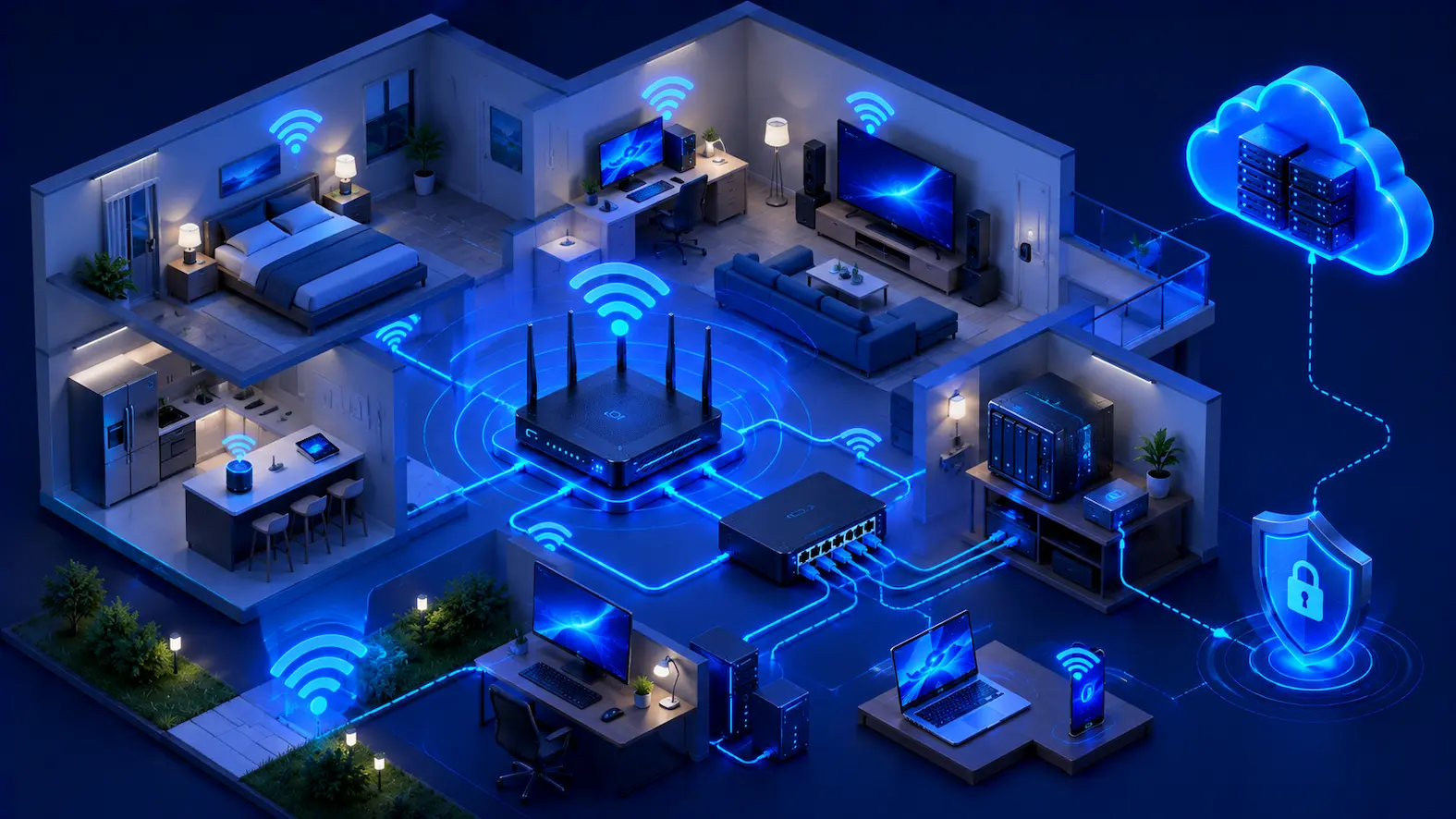
Many home networks perform best when they use both Ethernet and Wi-Fi. Each technology has its own strengths, and combining them creates a network that balances speed, stability, flexibility, and convenience.
Consider using wired Ethernet for:
- Desktop computers.
- Gaming consoles.
- Network Attached Storage (NAS).
- Smart TVs used for high-resolution streaming.
Wireless networking is ideal for:
- Smartphones.
- Tablets.
- Laptops.
- Smart home devices.
- Portable electronics.
Using both technologies provides an excellent balance between reliability for stationary devices and mobility for portable devices.
Secure Your Home Network
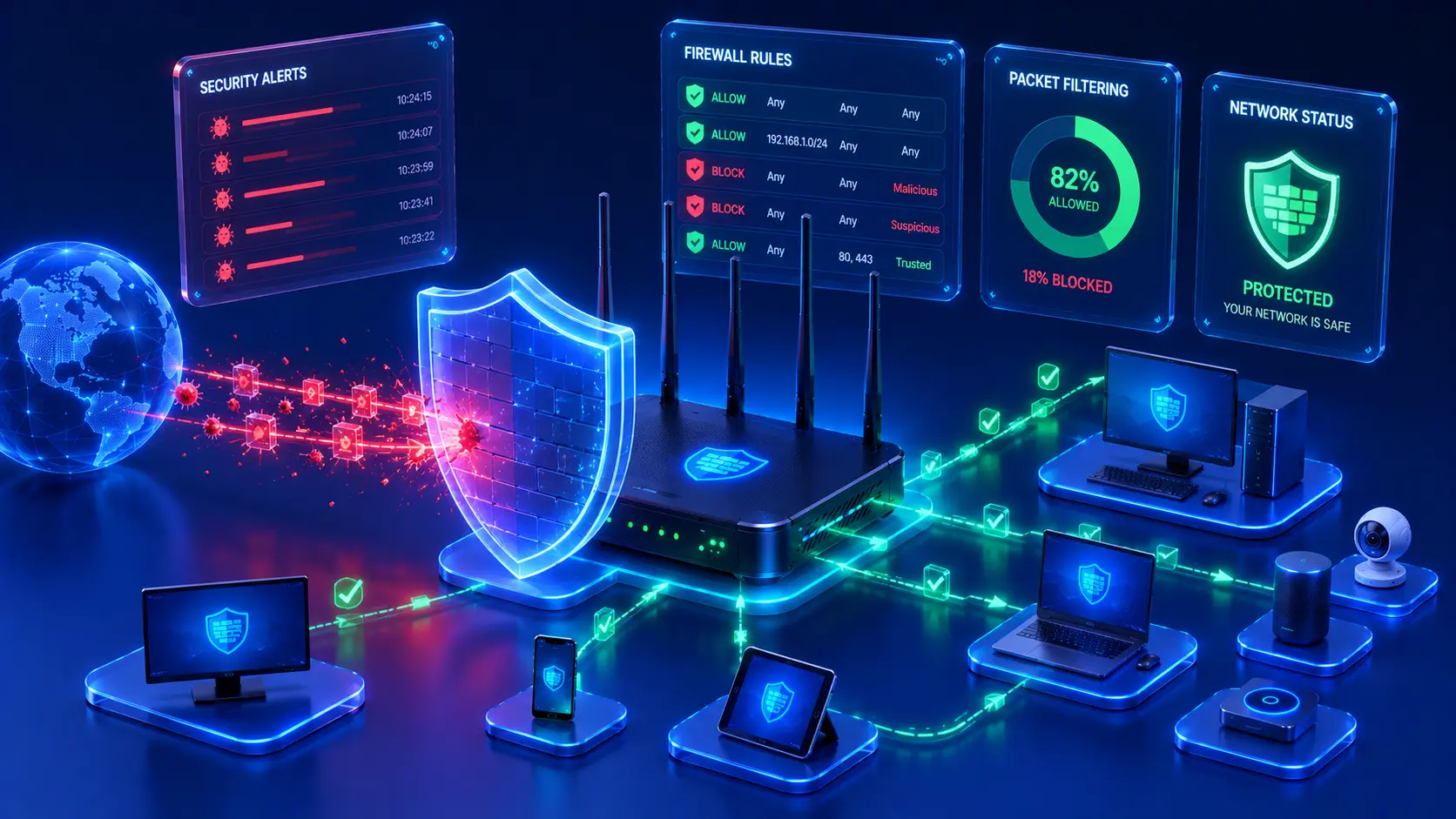
Security should never be treated as an afterthought. A fast home network offers little value if it is vulnerable to unauthorized access or cyber threats. Fortunately, protecting your network often requires only a few straightforward configuration changes that significantly improve security.
Basic security recommendations include:
- Use a strong administrator password.
- Change the default router login credentials.
- Enable modern Wi-Fi encryption.
- Keep router firmware updated.
- Review connected devices regularly.
- Enable a guest network for visitors.
These simple practices reduce many of the most common security risks while helping keep your personal data and connected devices protected.
Practical Example
Imagine purchasing a new Wi-Fi router and leaving the factory-default administrator username and password unchanged.
If someone gains access to your network, they could potentially modify router settings, disconnect devices, or weaken your network security. Changing the default credentials immediately after installation greatly reduces this risk.
Editorial Insight
Security isn't about making your network impossible to attack—it's about eliminating easy opportunities. Most attackers look for networks with weak passwords, outdated firmware, or default settings because they're much easier to compromise.
Maintain Your Network Regularly
Even a well-designed home network requires occasional maintenance. Performing small maintenance tasks on a regular basis helps ensure consistent performance, stronger security, and fewer unexpected problems over time.
Good maintenance habits include:
- Restart networking equipment when necessary.
- Install firmware updates.
- Check connected devices periodically.
- Replace damaged Ethernet cables.
- Remove unused devices from the network.
- Review Wi-Fi security settings.
These simple maintenance tasks often prevent issues before they affect your daily internet experience.
Best Practice
Set aside a few minutes each month to review your network. During this routine check, look for firmware updates, inspect connected devices, verify your Wi-Fi security settings, and ensure your networking equipment is operating normally.
Plan for Future Growth
The number of connected devices in modern homes continues to grow rapidly. Beyond computers and smartphones, many households now rely on a wide range of smart devices that place additional demands on the network. Planning ahead helps ensure your home network remains reliable as new technology is introduced.
Today's connected homes commonly include:
- Smart TVs.
- Smart speakers.
- Security cameras.
- Video doorbells.
- Smart lighting.
- Smart thermostats.
- Home automation systems.
- Internet of Things (IoT) devices.
When upgrading networking equipment, consider:
- The expected number of connected devices.
- Future internet speed upgrades.
- Wireless coverage requirements.
- Expandability.
- Long-term manufacturer support.
Choosing equipment with room for expansion helps avoid unnecessary upgrades as your household's networking needs evolve.
Practical Example
A household currently owns:
- Two smartphones.
- One laptop.
- One smart TV.
Within a few years, they may also add security cameras, smart lighting, voice assistants, tablets, and additional streaming devices.
Selecting a router designed to support future growth helps maintain strong performance without requiring frequent hardware replacements.
Common Mistakes to Avoid
Many home networking problems result from simple mistakes rather than faulty equipment. Avoiding these common issues can significantly improve both performance and reliability.
Placing the Router in a Poor Location
A router hidden inside a cabinet or placed in one corner of the home often produces weak wireless coverage. A central, elevated location generally distributes Wi-Fi signals more evenly throughout the house.
Ignoring Firmware Updates
Skipping firmware updates may leave your router vulnerable to software bugs and security issues. Regular updates improve compatibility, stability, and overall protection.
Using Weak Passwords
Simple or reused passwords increase the risk of unauthorized access. Always create strong, unique passwords for both your Wi-Fi network and router administration interface.
Connecting Everything Wirelessly
Although Wi-Fi is convenient, devices that require maximum stability—such as desktop computers, NAS systems, and gaming consoles—typically perform better when connected using Ethernet.
Buying More Expensive Equipment Without Planning
Premium networking hardware alone does not guarantee better performance. Proper planning, good router placement, and regular maintenance often have a greater impact than simply purchasing the most expensive router available.
Real-World Examples
Small Apartment
A centrally placed Wi-Fi router provides reliable wireless coverage for smartphones, laptops, a smart TV, and several smart home devices without requiring additional networking equipment. This setup demonstrates that even a modest home can achieve excellent connectivity with proper planning and equipment placement.
Family Home
A family uses Ethernet connections for desktop computers and gaming consoles while relying on Wi-Fi for smartphones, tablets, and laptops throughout the house. A separate guest Wi-Fi network allows visitors to access the internet without exposing personal devices or shared files. This combination of wired and wireless networking delivers both stability and flexibility.
Home Office
A remote worker connects a desktop computer using Ethernet to ensure stable video conferencing and uninterrupted cloud access, while laptops and mobile devices connect through secure Wi-Fi. Regular firmware updates and routine maintenance help maintain reliable day-to-day operation and minimize unexpected downtime.
Editorial Insight
Every home is different, but the same core principles apply. Choosing the right equipment, placing it correctly, and maintaining it regularly will usually have a greater impact on your network than simply purchasing more expensive hardware.
Frequently Asked Questions
What Equipment Do I Need for a Home Network?
Most home networks require:
- An internet connection.
- A modem (if it is not integrated into the router).
- A Wi-Fi router.
- Ethernet cables for wired devices.
Larger homes may also benefit from additional wireless access points or networking switches to improve coverage and expand wired connectivity.
Should I Use Ethernet or Wi-Fi?
Both technologies have advantages.
Ethernet provides greater stability, faster consistent performance, and lower latency, while Wi-Fi offers mobility and convenience. Combining both technologies often delivers the best overall networking experience for most households.
How Often Should I Update My Router?
Check for firmware updates periodically or enable automatic update notifications if your router supports them. Keeping firmware current improves security, reliability, and compatibility with newer devices.
Can One Router Support an Entire Home?
It depends on several factors, including:
- The size of your home.
- Construction materials.
- The capabilities of the router itself.
Larger homes may require additional wireless access points or mesh networking systems to achieve consistent wireless coverage throughout the property.
How Can I Improve My Home Wi-Fi Without Replacing My Router?
In many cases, you can improve Wi-Fi performance without purchasing new hardware by:
- Moving the router to a better location.
- Reducing wireless interference.
- Updating router firmware.
- Disconnecting unused devices.
- Using Ethernet connections for stationary devices.
Conclusion
A reliable home network is built through thoughtful planning, quality equipment, good security practices, and regular maintenance. Choosing the right internet connection, positioning your router correctly, combining wired and wireless networking, securing your Wi-Fi, and planning for future expansion all contribute to a faster, safer, and more dependable network.
Rather than relying on a single piece of hardware, long-term network performance comes from consistently applying good networking practices. Whether you're supporting remote work, online learning, entertainment, or smart home technology, investing a little time in designing and maintaining your home network today can provide years of stable, reliable connectivity.
Final Takeaway
Building a dependable home network doesn't have to be complicated. Focus on these key principles:
- Choose an internet plan that matches your household's needs.
- Invest in quality networking equipment with room for future growth.
- Place your router in a central, open location.
- Combine Ethernet and Wi-Fi for the best balance of performance and flexibility.
- Protect your network with strong passwords and modern security settings.
- Perform regular maintenance and firmware updates.
- Review connected devices periodically and remove those you no longer use.
- Plan ahead as your collection of connected devices continues to grow.
By following these practical best practices, you'll create a home network that is secure, reliable, and capable of supporting everything from everyday web browsing to demanding applications like remote work, online gaming, and smart home automation.