Modern computing is no longer limited to individual devices. Today, computers, smartphones, servers, tablets, smart TVs, printers, and countless other digital devices communicate with one another every second. Whether you're sending an email, streaming a movie, joining an online meeting, backing up files to the cloud, or simply browsing a website, computer networking makes these activities possible. Without networking, most of the digital services people rely on every day simply wouldn't exist.
Networking allows devices to exchange information, share resources, access remote services, and communicate regardless of physical distance. From a small home Wi-Fi network to the massive global infrastructure that powers the internet, computer networking has become one of the most important foundations of modern technology. Understanding its fundamentals provides a strong starting point for learning more advanced topics such as internet infrastructure, cybersecurity, cloud computing, and network administration.
What Is Computer Networking?
Computer networking is the practice of connecting two or more digital devices so they can communicate and exchange information. A network may consist of only two computers connected together or millions of devices communicating across multiple countries. The purpose remains the same: enabling devices to share data and resources efficiently.
Networks allow devices to:
- Share data.
- Share internet connections.
- Access shared storage.
- Use network printers.
- Communicate through applications.
- Access cloud services.
Without networking, every computer would operate independently, making collaboration, file sharing, and internet-based services far less practical.
Practical Example
Imagine a small office with ten computers.
Without a network:
- Employees would need to copy files using USB drives.
- Each computer would require its own printer.
- Sharing information would be slow and inconvenient.
With a network:
- Everyone can access shared files.
- Multiple users can print using a single network printer.
- Employees can collaborate on projects in real time.
- Internet access can be shared efficiently across all devices.
This illustrates how networking improves productivity while reducing costs.
Editorial Insight
Many people associate networking only with the internet, but networking actually refers to any system of connected devices that communicate with one another. Even a small home network containing a laptop, smartphone, smart TV, and printer is an example of computer networking.
Why Is Networking Important?
Networking has fundamentally transformed how people work, learn, communicate, and conduct business. Instead of storing information on isolated computers, users can collaborate through shared resources and online services that are accessible from almost anywhere.
Organizations depend on networking to:
- Connect employees.
- Share business applications.
- Protect organizational data.
- Support remote work.
- Deliver online services.
- Connect offices across multiple locations.
Individuals also rely on networking every day for:
- Entertainment.
- Online education.
- Internet banking.
- Shopping.
- Healthcare services.
- Social communication.
Without reliable networks, many modern conveniences—including cloud storage, video conferencing, online gaming, and digital collaboration—would not be possible.
Best Practice
As organizations become increasingly dependent on digital services, designing secure and reliable networks is just as important as purchasing fast hardware. A well-planned network improves performance, security, and long-term scalability.
How Computer Networks Work
At a basic level, networking involves devices sending and receiving data. Whenever you visit a website, your computer or smartphone sends a request across the network to a destination server. That server processes the request and returns the information you asked for—often within fractions of a second.
Although the technology behind this process is highly sophisticated, the underlying principle is remarkably simple:
- A device creates a request.
- The request travels through the network.
- Another device receives and processes it.
- A response is sent back.
- Your device displays the result.
Every online activity—from checking email to streaming videos—follows this basic pattern of digital communication.
Basic Components of a Network
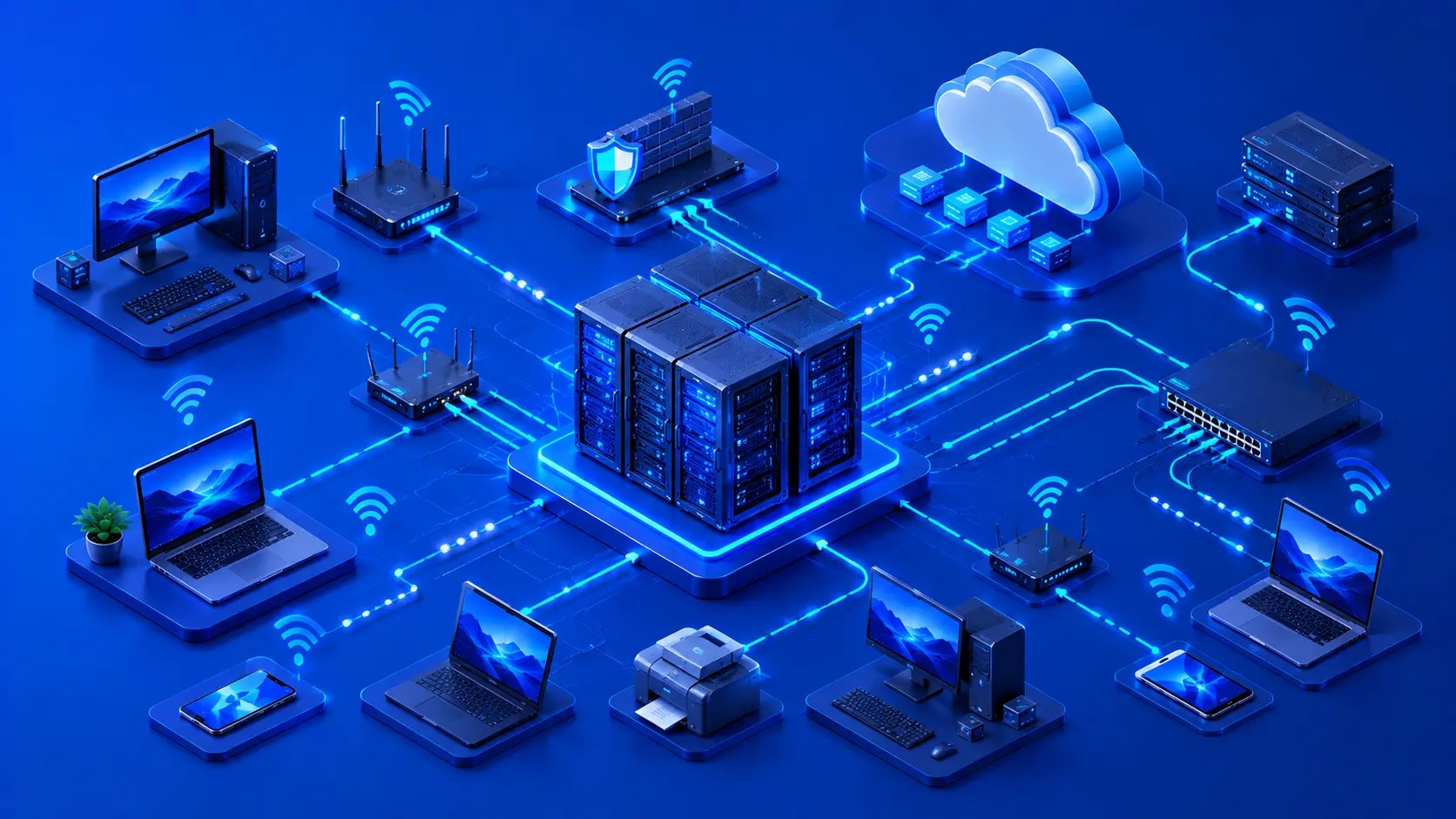
Every computer network consists of several essential components working together. Each component has a specific role, and the network functions efficiently only when they communicate properly with one another.
Devices
Devices are the endpoints that generate, receive, and process information on a network. They include:
- Desktop computers.
- Laptops.
- Smartphones.
- Tablets.
- Servers.
- Printers.
- Security cameras.
- Smart home devices.
Every time you browse the internet, send an email, or print a document, one or more of these devices are communicating across a network.
Network Equipment
Network equipment connects devices together and manages how information travels between them. Common examples include:
- Routers.
- Switches.
- Wireless access points.
- Modems.
Each device performs a different function. For example, a router connects different networks together, while a switch efficiently transfers data between devices on the same local network. Wireless access points provide Wi-Fi connectivity, and modems establish communication with an internet service provider.
Practical Example
In a typical home network:
- A modem connects your home to your internet service provider.
- A router distributes the internet connection throughout your home.
- A Wi-Fi access point allows wireless devices to connect.
- Your laptop, smartphone, smart TV, and printer all communicate through that network.
Although these devices perform different tasks, they work together to provide seamless connectivity.
Communication Media
Devices communicate using either physical cables or wireless signals. Depending on the network, communication may occur through:
- Ethernet cables.
- Fiber-optic cables.
- Wi-Fi.
- Cellular networks.
Each communication method offers different advantages depending on factors such as speed, reliability, distance, and deployment requirements.
Editorial Insight
When people think about networking, they often focus on Wi-Fi. In reality, Wi-Fi is only one communication method. Many business environments rely heavily on wired Ethernet or fiber-optic connections because they provide greater stability and higher performance for demanding workloads.
Types of Computer Networks
Computer networks can be organized in different ways depending on their size, purpose, and geographic coverage. Some networks connect devices within a single room, while others span cities, countries, or even the entire world.
Local Area Network (LAN)
A Local Area Network (LAN) connects devices within a relatively small geographic area, such as:
- A home.
- An office.
- A school.
- A university campus.
LANs typically provide high-speed communication and are commonly used for:
- File sharing.
- Printer sharing.
- Local servers.
- Internet access.
- Office collaboration.
Most home Wi-Fi networks are examples of small LANs.
Practical Example
A company office with dozens of computers connected to shared printers, local file servers, and a single internet connection is a classic example of a Local Area Network.
Wide Area Network (WAN)
A Wide Area Network (WAN) connects multiple Local Area Networks across much larger geographic areas. The internet itself is the world's largest WAN, linking millions of smaller networks across the globe. Businesses also use WANs to connect branch offices located in different cities or countries.
Unlike LANs, WANs are designed to support communication over long distances, allowing organizations to operate as a unified network even when offices are geographically separated.
Wireless Networks
Wireless networks allow devices to communicate without physical cables. Wi-Fi is one of the most common forms of wireless networking, enabling laptops, smartphones, tablets, smart TVs, and many other devices to connect conveniently. Wireless networking has significantly increased mobility while reducing the need for extensive cabling.
Best Practice
Each network type serves a different purpose. A home or office generally benefits from a fast and reliable LAN, while organizations with multiple locations often require WAN technologies to connect their offices. Wireless networking complements both by providing flexibility and mobility for connected devices.
Benefits of Computer Networking
Computer networking provides significant advantages for both individuals and organizations. By connecting devices and enabling efficient communication, networks improve productivity, reduce costs, and make digital services more accessible.
Resource Sharing
One of the biggest advantages of networking is resource sharing. Instead of purchasing separate equipment for every user, multiple devices can share printers, storage systems, internet connections, and other network resources. This reduces hardware costs while improving overall efficiency.
Practical Example
In an office with 30 employees, there's no need for 30 separate printers. A single network printer can serve the entire office, allowing everyone to print documents while reducing equipment and maintenance costs.
Communication
Networking enables many of the communication services people use every day, including:
- Email.
- Instant messaging.
- Voice calls.
- Video conferencing.
- Online collaboration platforms.
Because devices are connected through networks, people can collaborate efficiently regardless of their physical location.
Centralized Data
Many organizations store important information on centralized servers rather than on individual computers. Centralized storage simplifies data management while improving security, backup procedures, and collaboration between employees.
Editorial Insight
Centralizing important business data also makes it easier to implement security policies, monitor access, and recover information if a device is lost or damaged.
Remote Access
Networking allows users to securely access files, applications, and systems from remote locations. Modern remote work, cloud computing, and online collaboration all rely heavily on this capability.
Whether employees work from home, travel for business, or collaborate with international teams, remote access enables them to remain productive without being physically present in the office.
Scalability
As organizations grow, their networks can often be expanded by adding new users, devices, and services without redesigning the entire infrastructure. This flexibility allows businesses to adapt their technology to changing needs while protecting previous investments.
Best Practice
When designing a network, consider not only current requirements but also future growth. A scalable network is easier to expand and typically reduces long-term upgrade costs.
Networking in Everyday Life
Even people who don't work in technology rely on networking almost constantly. Many everyday digital activities depend on devices exchanging information through networks, often without users realizing it.
Common examples include:
- Browsing websites.
- Streaming movies and music.
- Playing online games.
- Using cloud storage.
- Joining video meetings.
- Controlling smart home devices.
- Mobile banking.
- Online shopping.
- GPS navigation.
- Social media.
Every one of these services relies on computers, servers, and networking equipment communicating continuously to deliver information quickly and reliably.
Common Misconceptions About Networking
Networking Is Not the Same as the Internet
Many people use the terms networking and the internet interchangeably, but they are not the same thing. The internet is a massive global network that connects millions of smaller networks. Networking, however, also includes private networks used in homes, businesses, schools, factories, and data centers. A network can exist without being connected to the internet.
Wi-Fi Is Not the Network Itself
Wi-Fi is simply one method of connecting devices wirelessly to a network. Networks can also use Ethernet cables, fiber-optic connections, or cellular technologies. The network refers to the connected system of devices, while Wi-Fi is only one communication medium within that system.
More Devices Don't Always Mean a Better Network
Adding more devices increases the demand placed on a network. Network performance depends on factors such as available bandwidth, the quality of networking equipment, proper configuration, and overall network design—not simply the number of connected devices.
Frequently Asked Questions
What Is Computer Networking in Simple Terms?
Computer networking is the process of connecting devices so they can exchange information, share resources, and communicate with one another.
Why Is Networking Important?
Networking enables communication, collaboration, internet access, cloud services, resource sharing, and many of the digital services people use every day.
What Is the Difference Between a LAN and a WAN?
A Local Area Network (LAN) connects devices within a limited geographic area, while a Wide Area Network (WAN) connects multiple networks across much larger geographic distances.
Is Wi-Fi the Same as Networking?
No.
Wi-Fi is one technology used to connect devices wirelessly to a network. Networking includes both wired and wireless communication methods.
Does Every Computer Need a Network Connection?
No.
A computer can operate independently, but networking greatly expands its capabilities by enabling communication, resource sharing, and internet access.
Conclusion
Computer networking forms the foundation of today's connected world. By allowing devices to exchange information, share resources, and communicate efficiently, networks support everything from home internet connections to global cloud services and enterprise infrastructure. Although networking technologies continue to evolve, their core purpose remains the same: enabling reliable communication between digital devices.
Understanding these fundamental concepts provides an excellent starting point for exploring more advanced networking topics, including IP addressing, routers, switches, network security, and internet infrastructure. As your networking knowledge grows, you'll gain a deeper understanding of how the modern digital world stays connected.
Final Takeaway
Computer networking is the technology that connects the modern world.
Remember these key points:
- Networking enables devices to communicate and share resources.
- Networks consist of devices, networking equipment, and communication media.
- LANs serve small local environments, while WANs connect networks across large geographic areas.
- Networking supports communication, collaboration, remote access, and cloud services.
- Wi-Fi is only one method of connecting to a network—it is not the network itself.
- Nearly every online service depends on computer networking.
A solid understanding of networking fundamentals provides the foundation for learning more advanced topics such as IP addressing, routing, switching, network security, cloud infrastructure, and enterprise networking.