Every time you unlock your smartphone, browse the web, send an email, or edit a document, you're using software. Although you can't physically touch it like a keyboard or monitor, software is what makes digital devices useful. Without software, even the most powerful computer would simply be a collection of electronic components with no meaningful way to perform tasks.
Software provides the instructions that tell hardware what to do. It controls how applications behave, how files are managed, how users interact with devices, and how information is processed. From personal laptops and smartphones to cloud platforms and enterprise servers, software plays a central role in modern technology. Yet many people use software every day without fully understanding what it is or how it differs from hardware. Learning this distinction provides a solid foundation for understanding computers, programming, cybersecurity, and many other areas of information technology.
What Is Software?
Software is a collection of programs, instructions, and data that tells a computer or digital device how to perform specific tasks. Unlike hardware, which refers to the physical components of a device, software exists entirely in digital form. It cannot be touched or physically held, but it can be installed, updated, copied, and executed on compatible devices.
Software enables computers and other electronic devices to perform an enormous variety of functions, including:
- Writing and editing documents.
- Browsing the internet.
- Streaming music and videos.
- Managing financial records.
- Sending emails and messages.
- Running business applications.
- Playing games.
Whether you're using a simple calculator app or a complex enterprise management system, software is responsible for making those activities possible.
Practical Example
Consider a laptop with powerful hardware but no software installed.
Although the processor, memory, and storage physically exist, the computer cannot:
- Display a desktop.
- Open files.
- Connect to the internet.
- Launch applications.
Only after software—such as an operating system—is installed does the hardware become useful for everyday computing.
Why Is Software Important?
Modern computing depends entirely on software. Hardware provides the physical resources, but software determines how those resources are used. Without software, computers wouldn't know how to display information, connect to the internet, store files, or respond to user input.
Software also drives innovation across nearly every industry.
Today's technologies—including artificial intelligence, cloud computing, cybersecurity platforms, business applications, mobile apps, and smart devices—all rely on software to deliver their functionality. As technology continues to evolve, software remains one of the most valuable components of the digital world.
Editorial Insight
When people think about technology, they often focus on physical devices such as laptops, smartphones, or servers. However, it is software that transforms those devices into productive tools by enabling communication, automation, entertainment, and countless other digital experiences.
Software Is Everywhere
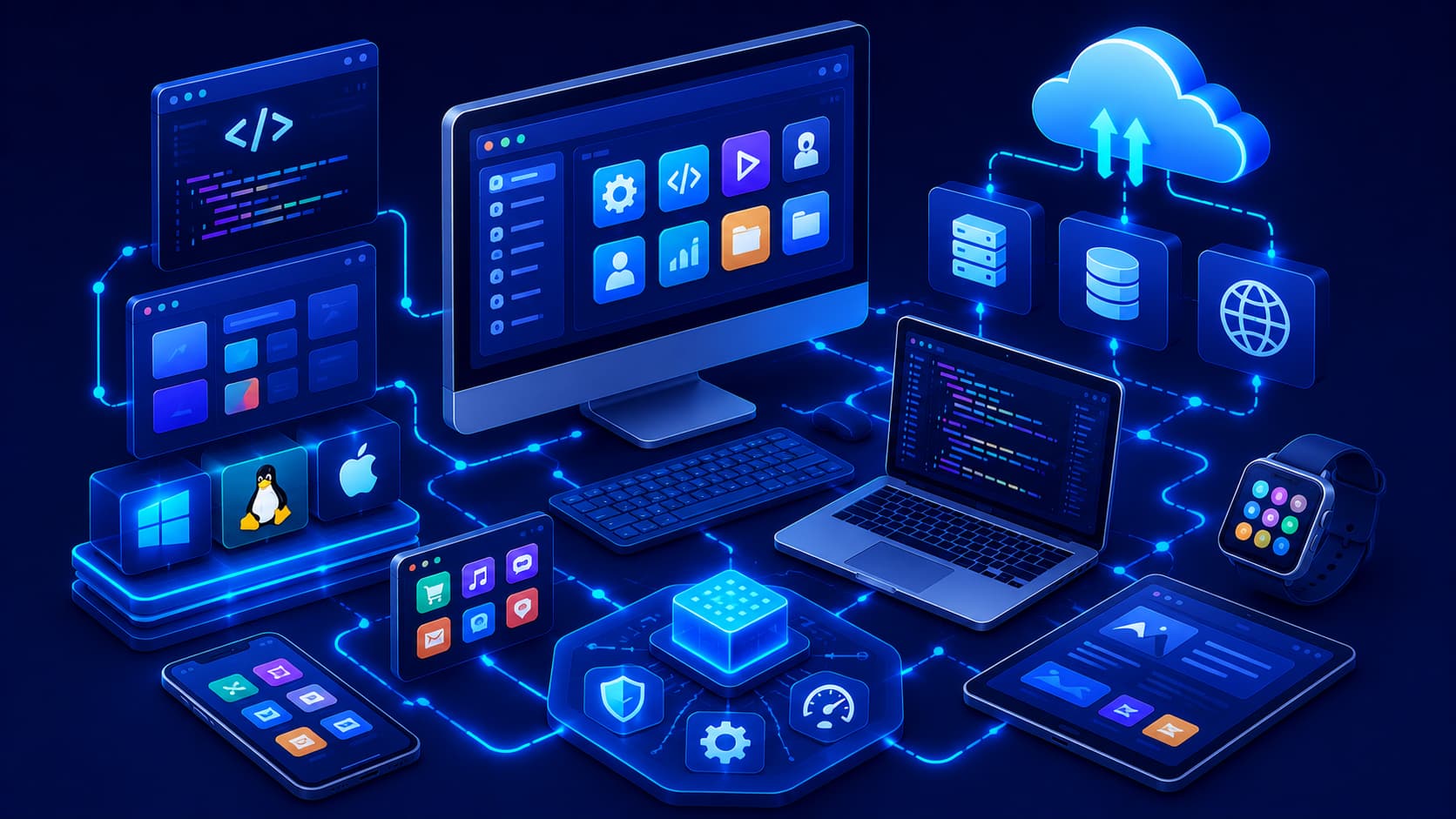
Software isn't limited to desktop computers. Today it is embedded in smartphones, tablets, smart TVs, wearable devices, vehicles, medical equipment, industrial machines, and many other technologies.
Even many household appliances now rely on embedded software, including:
- Washing machines.
- Refrigerators.
- Smart thermostats.
- Home security systems.
- Robotic vacuum cleaners.
Whether you're shopping online, navigating with GPS, joining a video conference, or withdrawing cash from an ATM, software is quietly working behind the scenes to make these services possible.
Practical Example
A modern car contains dozens of software-controlled systems that manage engine performance, safety features, navigation, entertainment, and driver assistance technologies. This demonstrates how software has expanded far beyond traditional personal computers.
Software and Hardware Work Together
Software and hardware are closely connected. Hardware provides the physical foundation, while software provides the instructions. Neither is particularly useful without the other.
A simple analogy is a musical instrument:
- The instrument itself represents the hardware.
- The musician reading and performing the music represents the software.
Similarly, a computer's processor, memory, storage, and display rely on software instructions to perform meaningful tasks for the user.
This close relationship explains why both hardware and software are essential parts of every modern computing device.
Types of Software
Software can be grouped into several categories based on the role it performs. Although there are many specialized types of software, most fall into a few broad categories that work together to keep computers and other digital devices functioning effectively.
System Software
System software manages the computer itself. It controls hardware resources, manages memory, handles files, and provides the environment needed for other software to run. Operating systems are the most familiar example of system software.
Without system software:
- Hardware cannot be managed efficiently.
- Applications cannot communicate with hardware.
- Files cannot be organized properly.
- Users cannot interact with the computer through a familiar interface.
Because it operates behind the scenes, many users rarely notice system software until something goes wrong or an update becomes available.
Editorial Insight
Think of system software as the foundation of a building. While it may not receive as much attention as the applications people use every day, every other piece of software depends on it to function correctly.
Note: The next article explores system software in greater detail.
Application Software
Application software is designed to help users perform specific tasks. Unlike system software, which focuses on managing the computer itself, application software is what people interact with most often during everyday computing.
Common examples include:
- Word processors.
- Web browsers.
- Graphic design software.
- Accounting applications.
- Messaging apps.
- Video conferencing platforms.
Whether you're writing a report, browsing websites, editing photos, or attending an online meeting, you're primarily interacting with application software.
Practical Example
Opening a web browser involves both software categories:
- The operating system (system software) manages memory, hardware access, and system resources.
- The web browser (application software) lets you visit websites and interact with online services.
Both types work together to deliver a seamless user experience.
Development Software
Programmers also rely on specialized software to create other software. This category includes tools that help developers write, test, debug, and maintain applications efficiently.
Examples include:
- Code editors.
- Integrated Development Environments (IDEs).
- Compilers.
- Debuggers.
- Version control tools.
Although most everyday users never interact directly with these tools, nearly every application they use has been created and maintained with development software.
How Software Works
When you open an application, a series of processes begin almost instantly. While this happens in fractions of a second, several software components cooperate to deliver a smooth experience.
The general process includes:
- The operating system loads the required program files into memory.
- The processor begins executing the program's instructions.
- The software communicates with hardware such as the keyboard, storage device, display, and network adapter.
- As you interact with the application, software continuously processes your input and updates the display.
Although users usually notice only the application's interface, numerous background processes work together to ensure everything responds quickly and reliably.
Practical Example
When you launch a video conferencing application:
- The operating system allocates memory.
- The processor executes the application's instructions.
- The webcam and microphone begin sending data.
- The network adapter connects to the internet.
- The display continuously updates as participants join the meeting.
This entire sequence occurs within seconds because multiple software components coordinate their work behind the scenes.
Software Is Constantly Evolving
Unlike hardware, software can continue improving long after it has been released. Developers regularly publish updates that introduce new features, improve performance, fix bugs, and address security vulnerabilities.
Software updates commonly provide:
- New features and functionality.
- Performance improvements.
- Bug fixes.
- Security patches.
- Compatibility with newer hardware and operating systems.
Rather than being considered "finished," modern software is continuously refined as technology evolves and user needs change. Keeping software up to date helps improve both performance and security over time.
Best Practice
Whenever possible, install updates from trusted developers or official sources. Regular updates help protect your devices from known security vulnerabilities while ensuring your applications remain compatible with newer operating systems and hardware.
Common Misconceptions About Software
Understanding what software is also means recognizing a few common misconceptions. Many people encounter software every day but still misunderstand how it relates to hardware, performance, and modern digital devices.
Software Is Not the Same as Hardware
People sometimes use the terms software and hardware interchangeably, but they refer to two very different parts of a computing system. Hardware consists of the physical components you can see and touch, while software provides the digital instructions that tell those components how to operate.
For example:
- A keyboard is hardware.
- A processor is hardware.
- An operating system is software.
- A web browser is software.
Neither hardware nor software is sufficient on its own. Modern computers depend on both working together to perform useful tasks.
Editorial Insight
One simple way to remember the difference is this: hardware provides the capability, while software provides the behavior. Hardware performs the work, but software decides what work should be performed and how it should happen.
More Software Doesn't Always Mean Better Performance
Installing additional applications doesn't automatically improve a computer. In fact, unnecessary software can consume storage space, memory, and processor resources, potentially reducing overall system performance.
Instead of installing every available application, focus on software that genuinely supports your needs.
Benefits of keeping only necessary software include:
- Better system performance.
- Lower memory usage.
- More available storage space.
- Simpler software management.
- Reduced security risks from unused applications.
Best Practice
Periodically review installed applications and remove software you no longer use. Keeping your system organized not only improves performance but also reduces maintenance and security concerns.
Software Isn't Only for Computers
Today, software powers far more than desktop PCs and laptops. Smartphones, vehicles, smart home devices, industrial equipment, medical systems, gaming consoles, and countless connected devices all rely on software to operate.
Examples include:
- Smart televisions.
- Smartwatches.
- Connected vehicles.
- Medical imaging systems.
- Manufacturing robots.
- Internet of Things (IoT) devices.
As technology becomes increasingly connected, software continues expanding into nearly every aspect of everyday life.
Frequently Asked Questions
What Is Software in Simple Terms?
Software is a collection of digital instructions that tells a computer or electronic device how to perform specific tasks.
Without software, hardware would not know how to process information or respond to user actions.
What's the Difference Between Software and Hardware?
Hardware consists of the physical parts of a device, while software provides the instructions that tell the hardware what to do. Both are essential, but they serve different roles.
Can a Computer Work Without Software?
No.
Without software, hardware cannot perform meaningful tasks because it has no instructions to execute.
Why Does Software Need Updates?
Software updates improve security, fix bugs, introduce new features, and maintain compatibility with changing hardware and operating systems.
Installing updates regularly helps keep applications reliable, secure, and compatible with modern devices.
Is an Operating System Considered Software?
Yes.
An operating system is a type of system software that manages hardware resources and provides the foundation for running applications.
Conclusion
Software is the invisible foundation that makes modern technology functional. It provides the instructions that allow computers, smartphones, servers, and countless other digital devices to perform useful tasks. From operating systems and productivity applications to cloud platforms and development tools, software influences nearly every aspect of our digital lives.
Understanding what software is—and how it differs from hardware—creates an essential foundation for exploring more advanced technology topics. As you continue learning, you'll discover how different categories of software work together, why operating systems are so important, and how software is developed, maintained, and selected for different purposes.
Final Takeaway
Although software cannot be seen or touched like hardware, it is the driving force behind every modern computing experience. Whether you're sending messages, editing documents, browsing the internet, developing applications, or using smart devices, software enables every interaction.
Building a clear understanding of software—and its relationship with hardware—provides a strong foundation for learning operating systems, application development, cybersecurity, cloud computing, and many other technology topics.